HOW IT WORKS
The Last Planner System,
running as software
Uconia is built around one loop: break the contract programme into work that can be committed to, clear what blocks it, commit only what is ready, then measure what actually happened.
Uconia approach
Replace chaos with predictable,
measurable progress.
The only tool that can unify your project workstreams.
SINGLE SOURCE OF TRUTH
One system,
all connected
Planning, execution, and reporting sit in one connected place. Nothing gets re-entered, chased, or reconciled. Open any capability and see where that work gets done.
Select a capability
EVERYTHING IN ONE SYSTEM
Built for how construction
actually runs
Planning, execution and reporting in one place, in the order the job runs them, so nothing has to be re-entered, chased or reconciled. Open any capability to see the screen it happens on.
Select a capability
THE PLANNING LOOP
STEP 01 — LOOKAHEAD & MAKE-READY
Contract programme to master programme
‍
Not a copy of it.
Today: The master schedule and site reality drift apart between updates.
With Uconia: Uconia ingests the programme and stays aligned to it - activity codes and baselines intact. A single source of truth, without siloed reporting or data gathering
P6 · Asta · MS Project
Milestone tags
Phase pull planning
STEP 02 — LOOKAHEAD & MAKE-READY
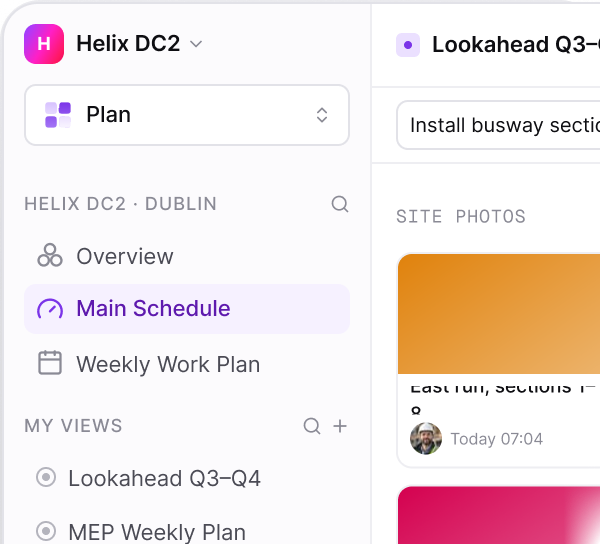
Six weeks out with every constraint owned and dated.
Today: The constraint log lives in a separate spreadsheet and goes stale. Activities longer than a week never get broken into committable batches.
A rolling six-week window. Constraints sit on the activity they threaten with an owner and a needed-by date, and long activities are decomposed into work a crew can finish inside the week.
Constraint log
Make-ready review
Small-batch decomposition
STEP 03 — WEEKLY WORK PLAN
Only work that is genuinely ready gets committed.
Today: Not ready, over-committed tasks slip into the week and quietly erode float.
With Uconia: A prerequisite checklist ensures every task is constraint-free and ready to start. Every trade shows up Monday to work it can actually start.
Ready gate
Trade commitments
Location & board views
STEP 04 — CLOSEOUT & LEARNING LOOP
Know why the same week - Then re-baseline.
Today: Slippage goes undetected, planned tasks are not achieved, PPC is not calculated, and incomplete tasks remain ownerless and unexplained.
With Uconia: Real-time progress, measured against every commitment through PPC. Incomplete work rolls forward with its variance recorded, actuals flow back into the programme, and forecasted dates reflect what was learned.

PPC & variance
Auto roll-forward
Actuals back to P6
Master schedule
Lookahead & make-ready
Weekly work plan
Closeout & learning loop
THE SHIFT
Stop chasing progress.
Start seeing it.
Every day your programme drifts from reality is a day of decisions made on stale information. Uconia closes the gap to hours, not weeks.
Progress captured at the work face, not in a Monday meeting
Constraints raised before they become delay events
One programme, one truth, every stakeholder
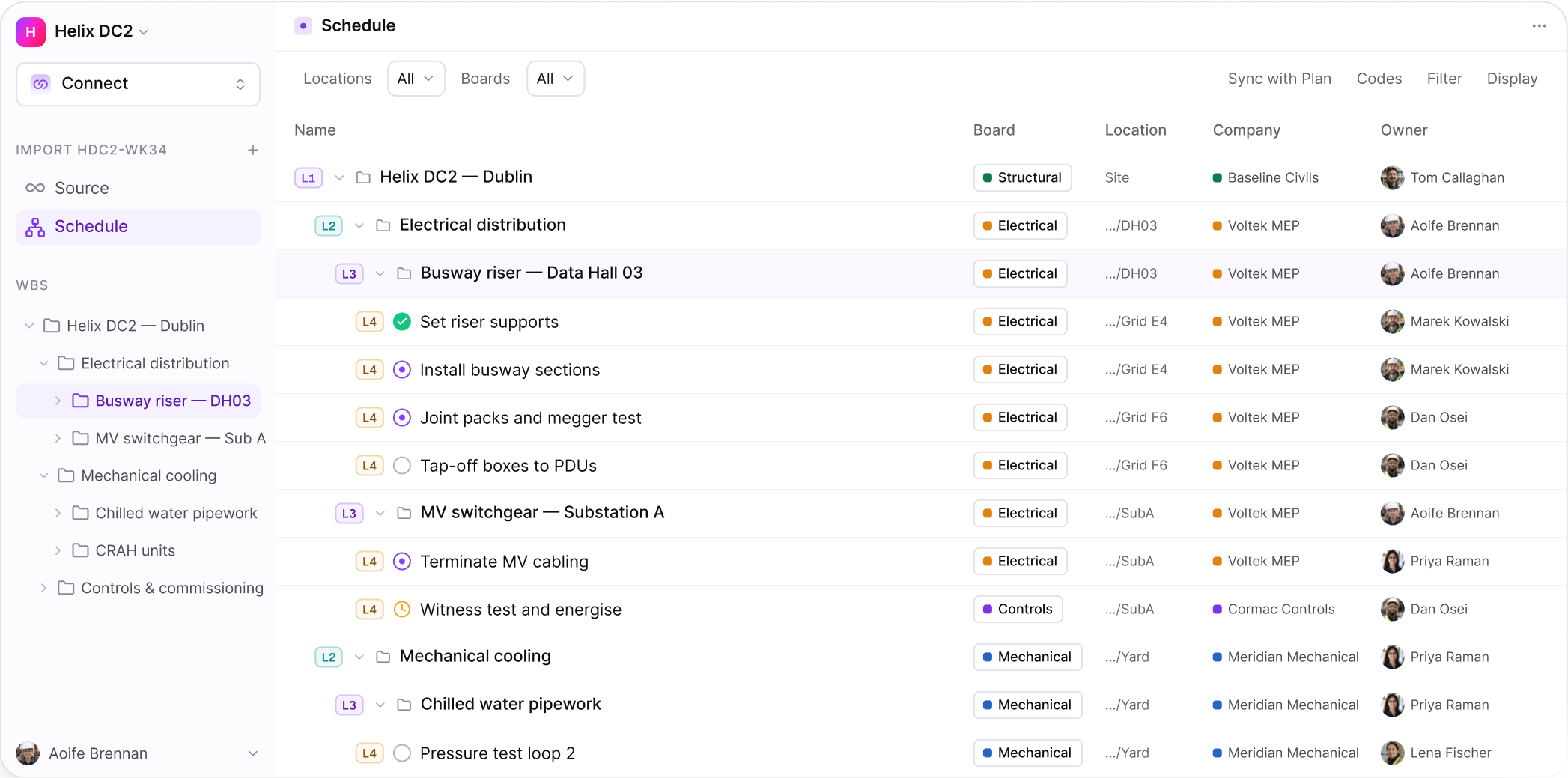
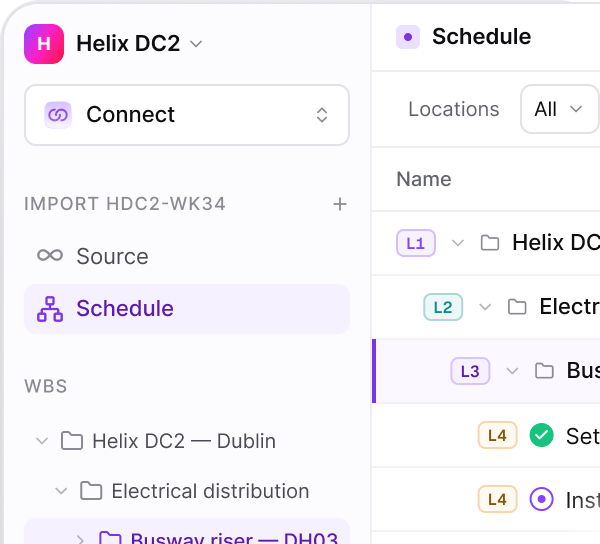
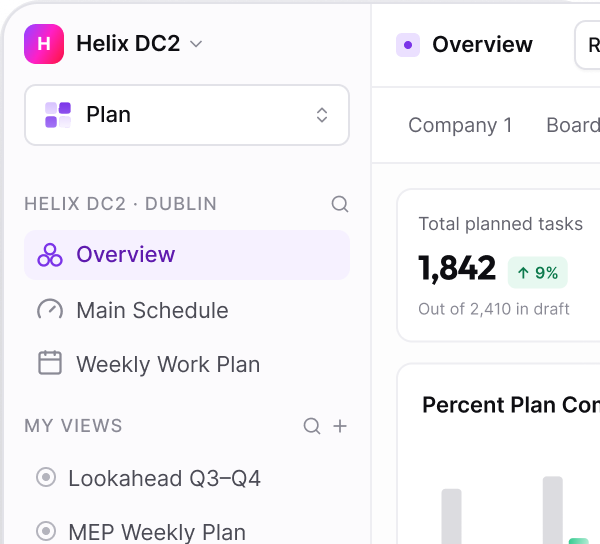
LOCATIONS & WBS
CONNECT
Structure work the way the site is built
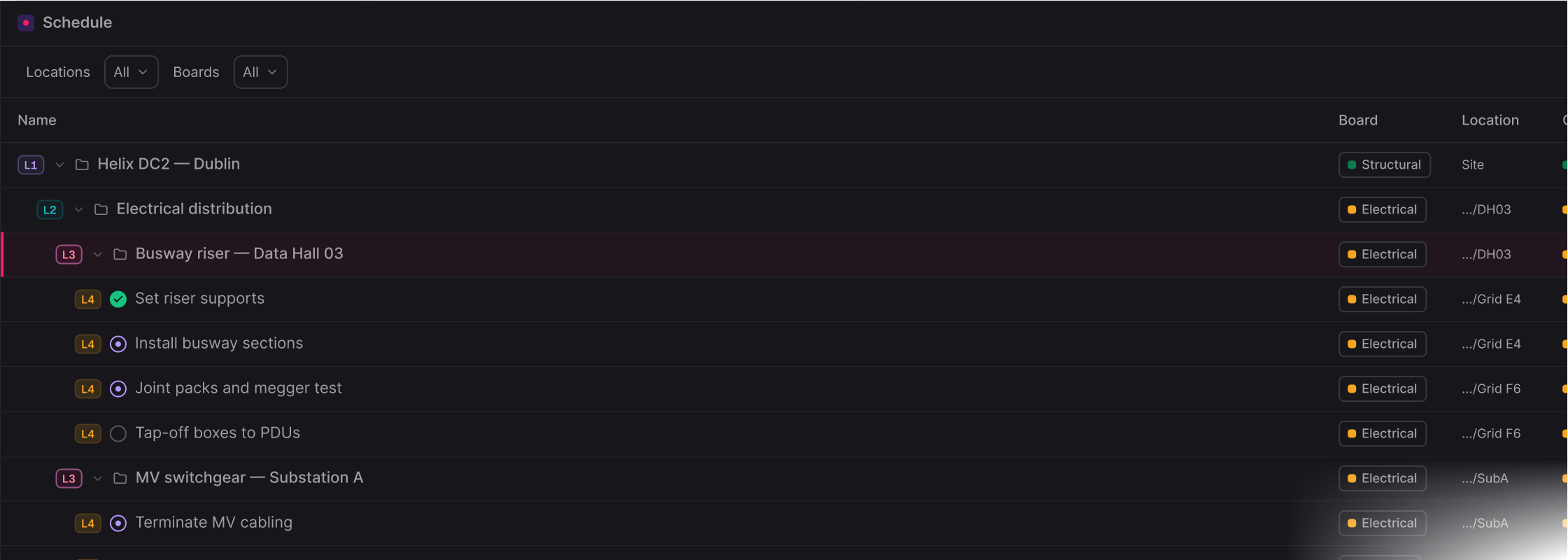
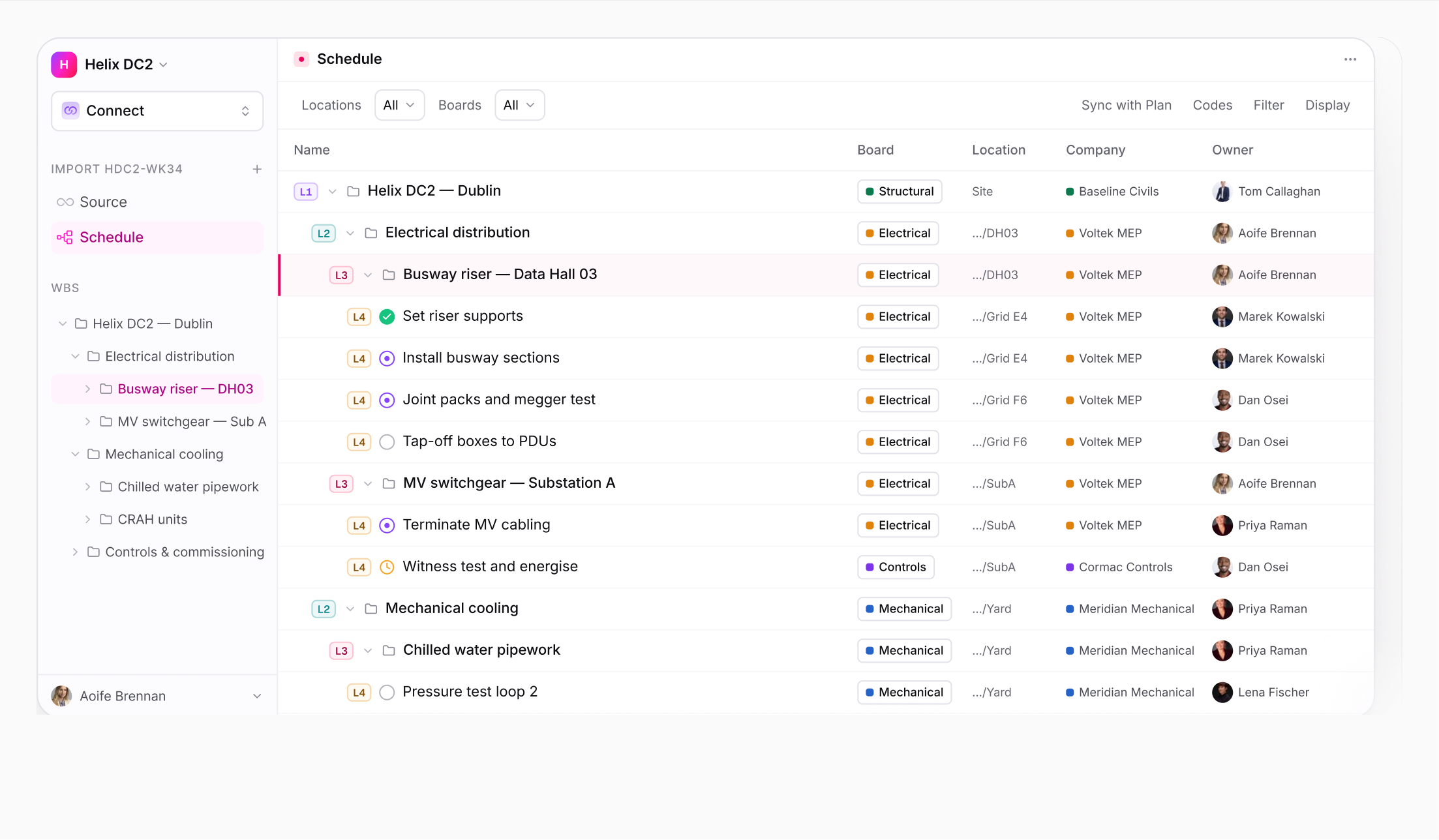
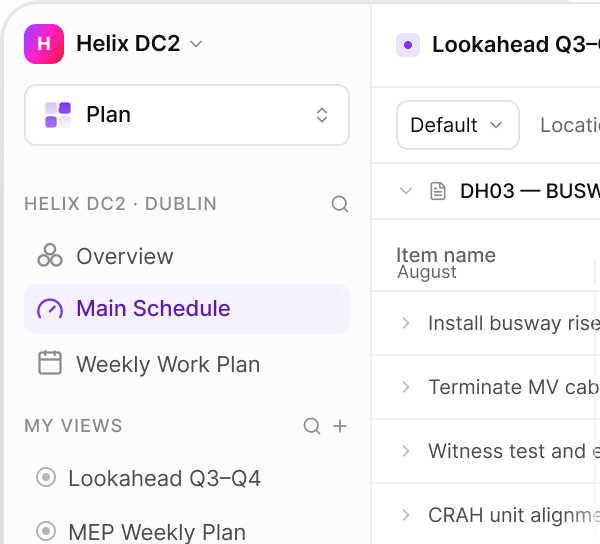
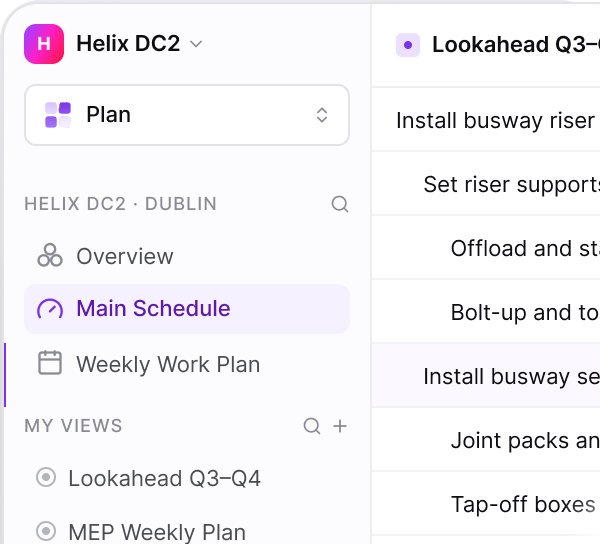
Zone, level, room, and grid line - structured hierarchically from the project down to the individual activity, so a task is instantly recognisable to site teams.
ON THIS SCREEN
WBS aligned to the master programme
Level codes make depth visible instantly
Bring selected WBS branches straight into the plan
Every row shows trade, location, company and owner
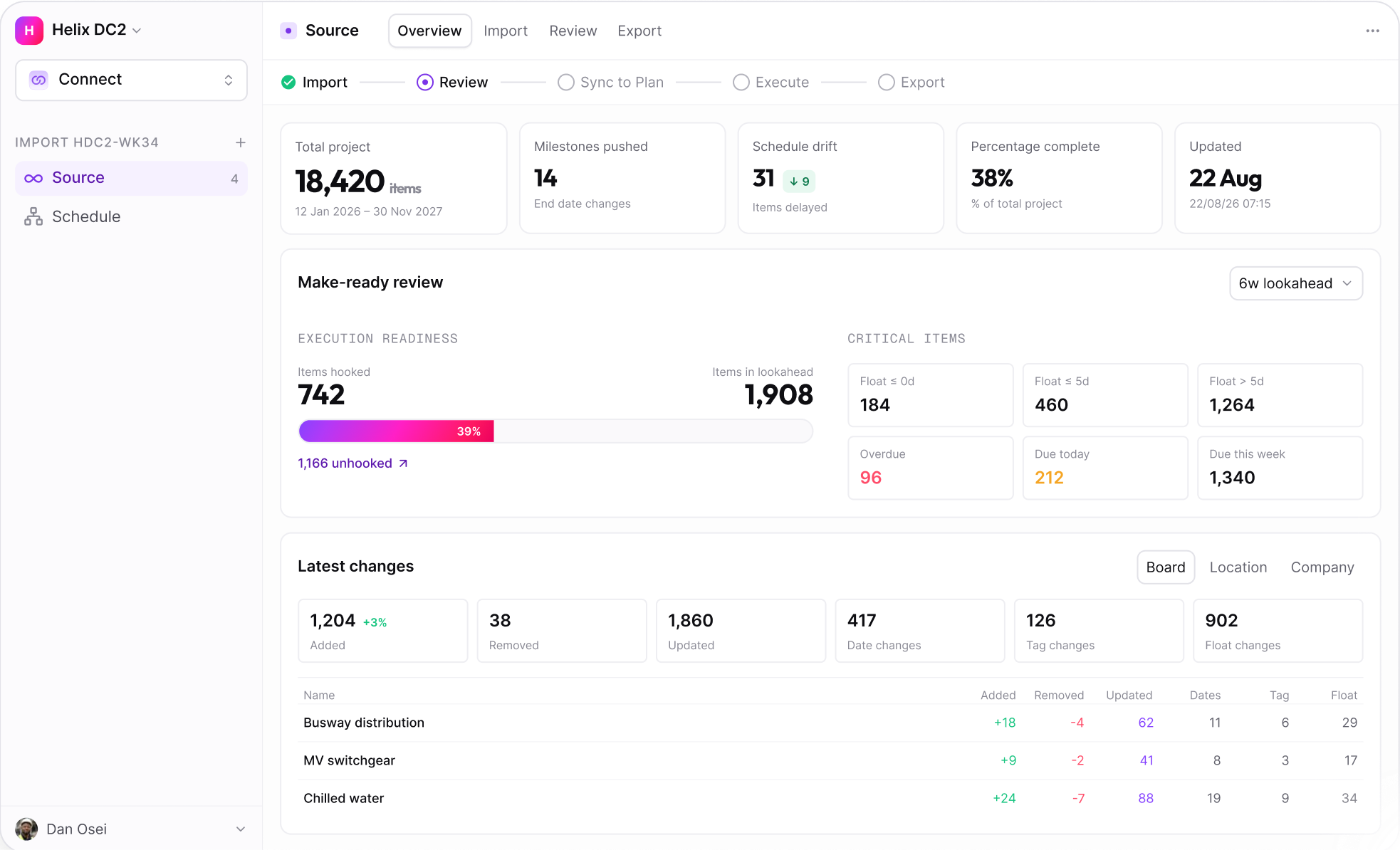
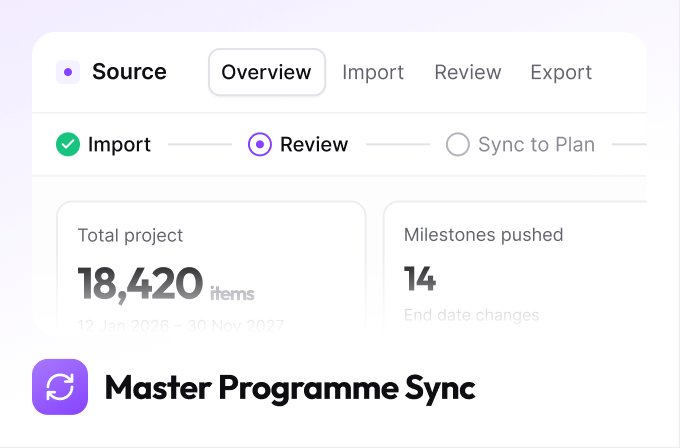
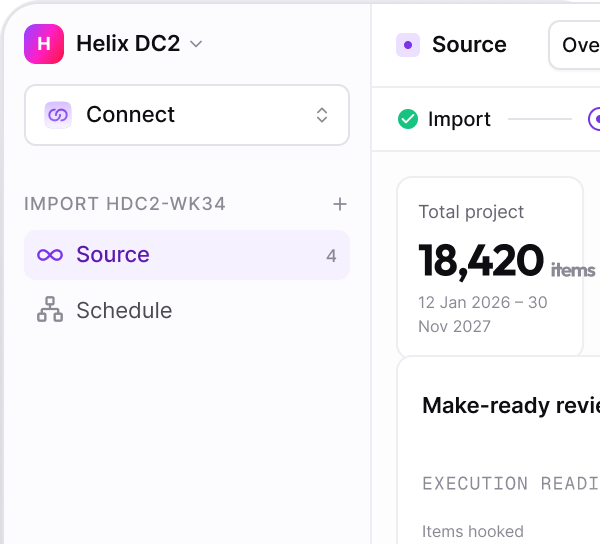
MASTER PROGRAMME SYNC
CONNECT
The contract programme stays the source of truth
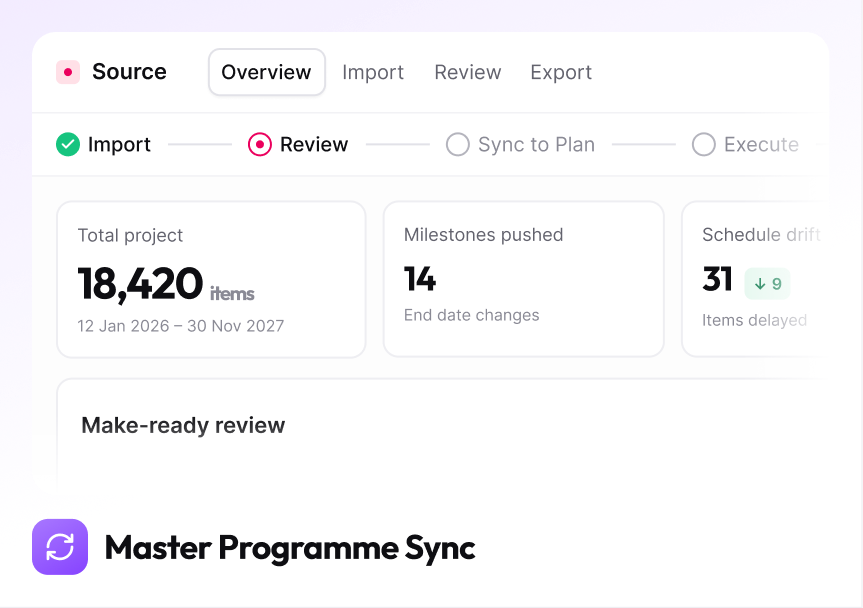
Primavera P6, Asta Powerproject and Microsoft Project keep owning the contract. Uconia reads activities, calendars and the WBS down, and writes actuals back up on your cycle.
ON THIS SCREEN
Milestones pushed and items delayed, per import
Execution readiness, how much lookahead work is hooked
Critical items bucketed by float
Added, removed, updated and re- dated, by board
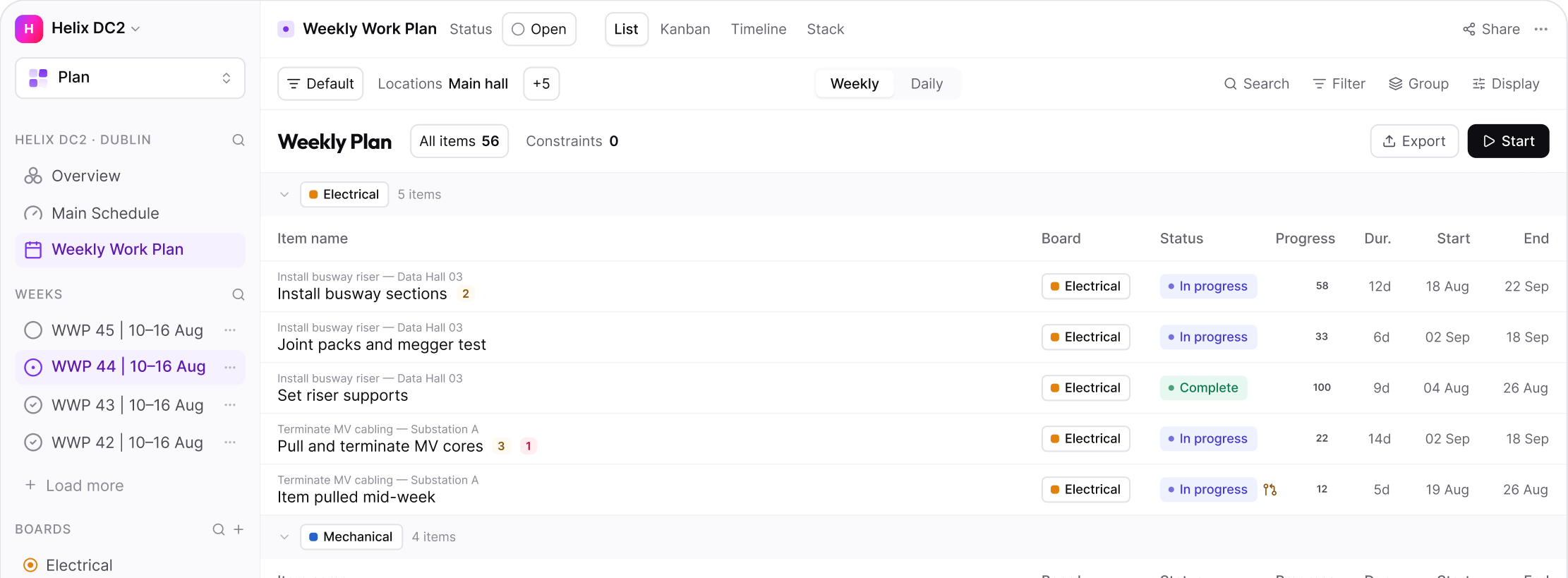
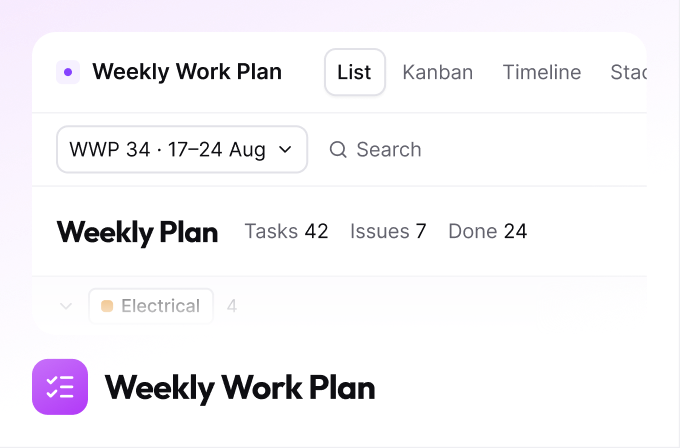
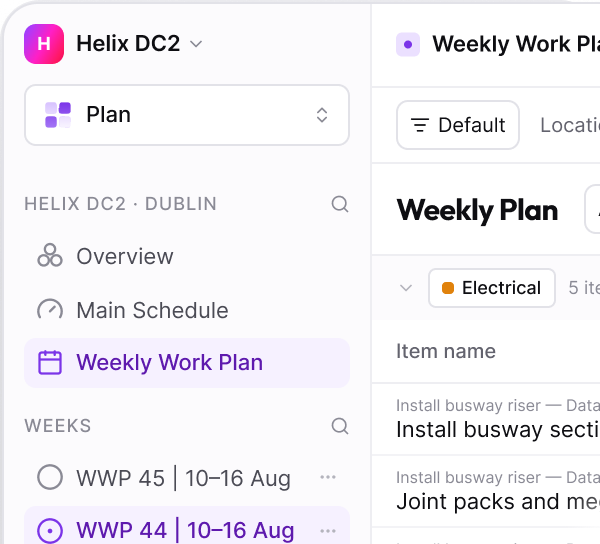
WEEKLY WORK PLAN
PLAN
Commitments made by the people doing the work
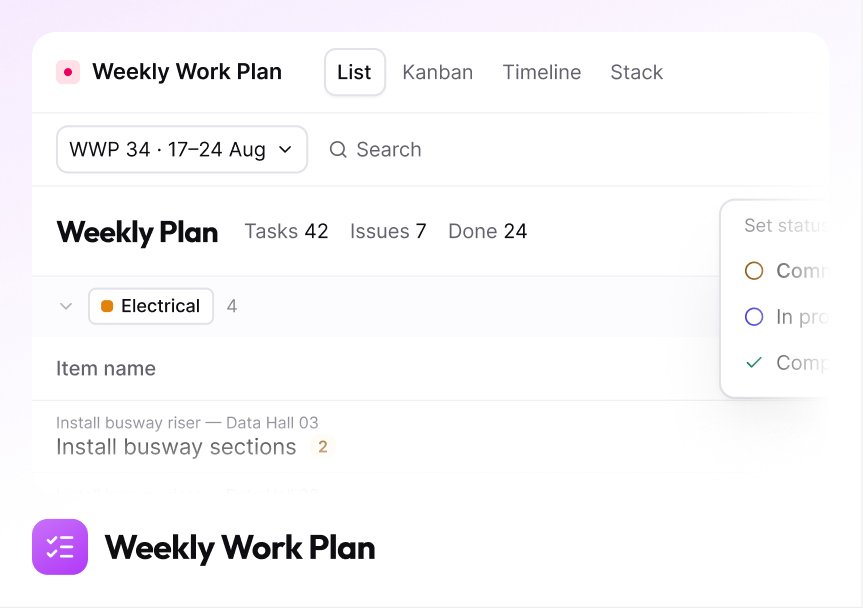
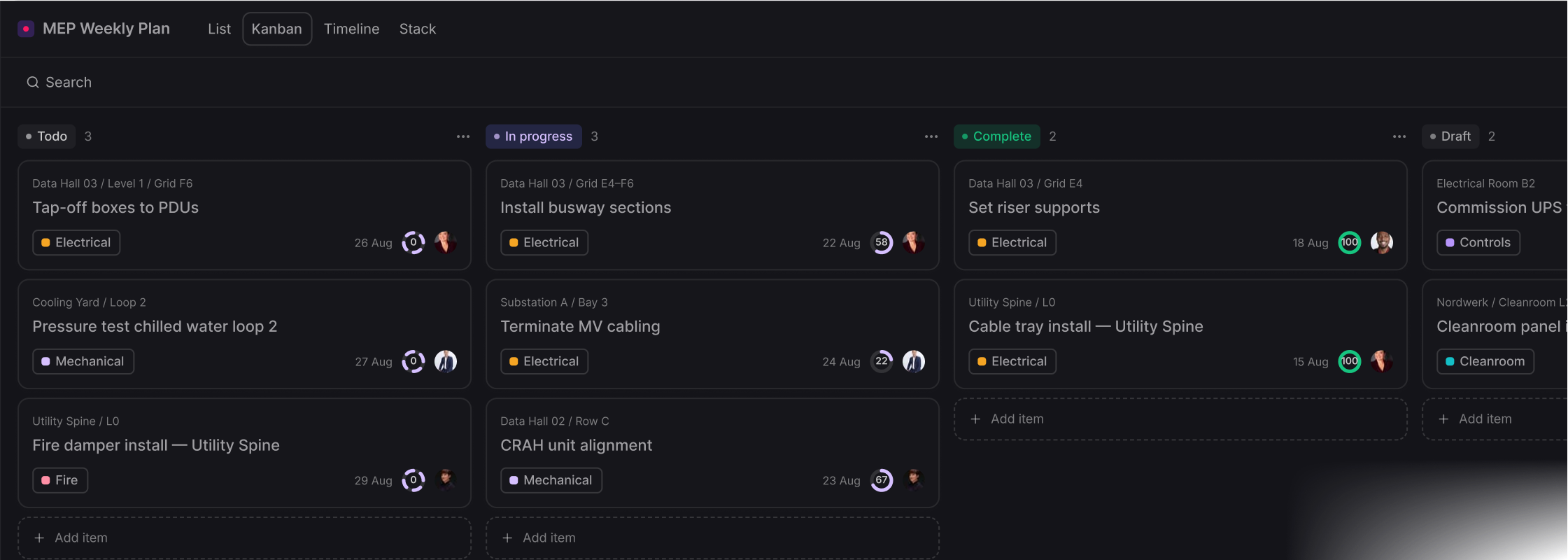
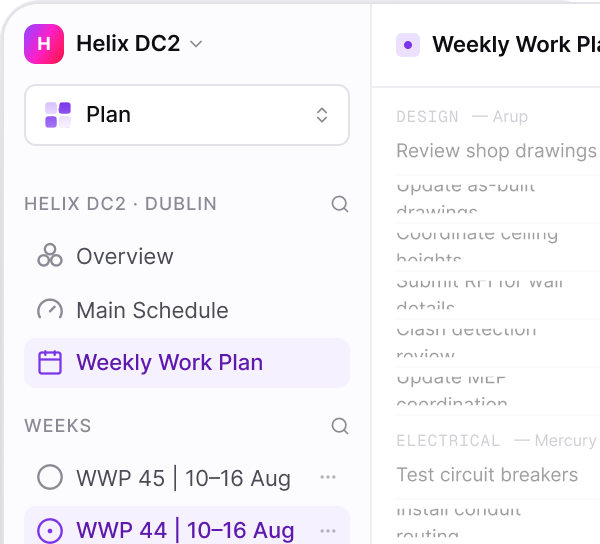
Each crew commits to a defined set of tasks for the week, against the activities they belong to. What was promised and what was delivered are both on the record.
ON THIS SCREEN
Open, Locked, In Progress, Complete — the plan's own lifecycle
Locking excludes later additions from the PPC
Items pulled in mid-week are marked as such
Work paced across several weeks shows no false weekly figure
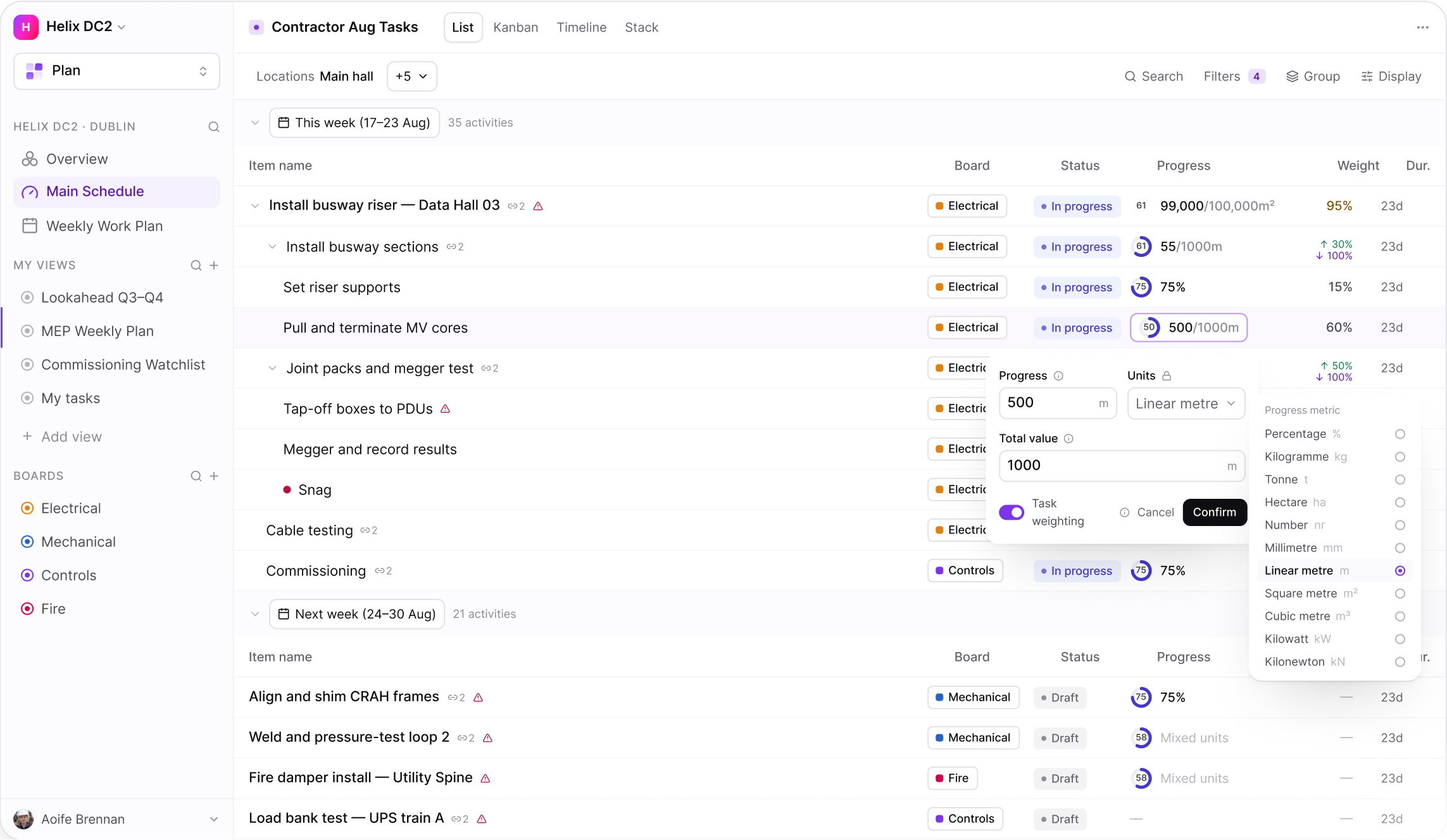
QUANTITIES & UNITS
PLAN
Log work in real units, not just another percentage
Cabling length, box counts, slab area and progress logs in whatever unit the work actually uses. Units lock once set, so historical data stays intact and progress stays comparable over time.
ON THIS SCREEN
Work cross multiple unit, natively
Parent totals calculate correctly, so quantities never falsely aggregated
Weekly weighting applies on top , without touching the raw entries underneath
Weighting is applied to a week, not baked into the data
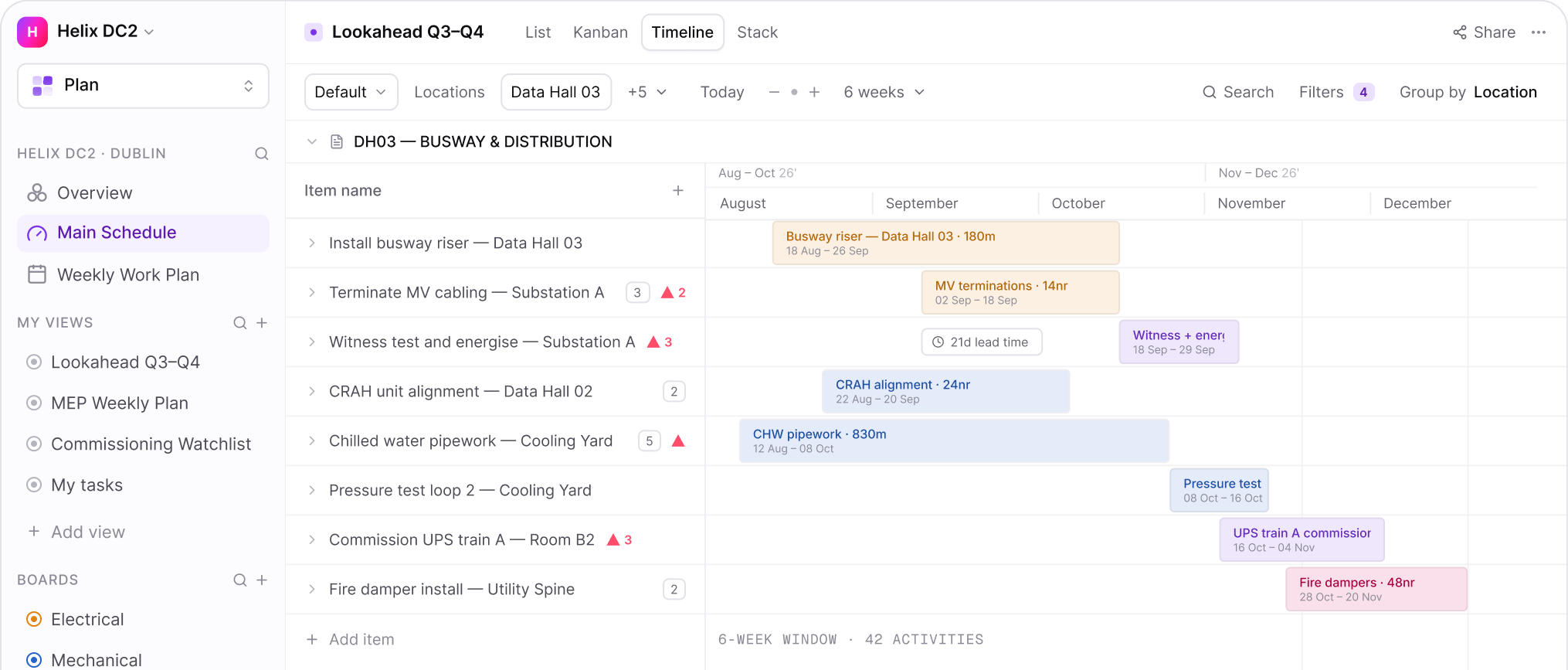
GANTT & TIMELINE
PLAN
The programme, live
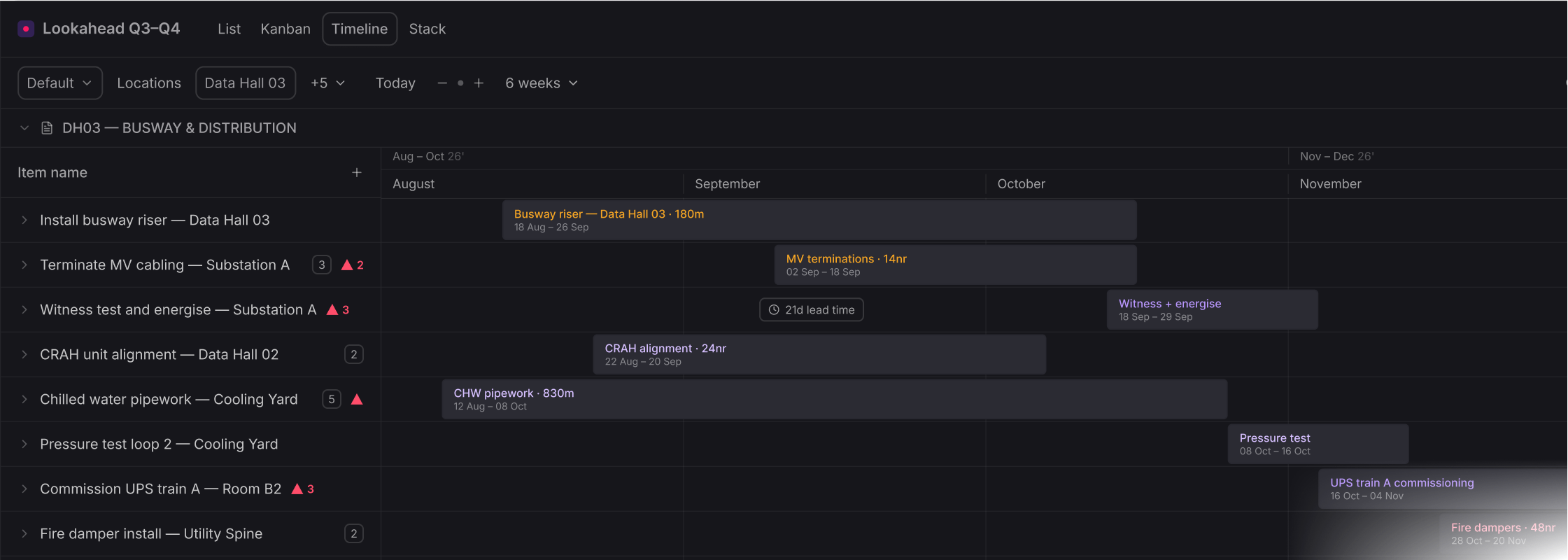
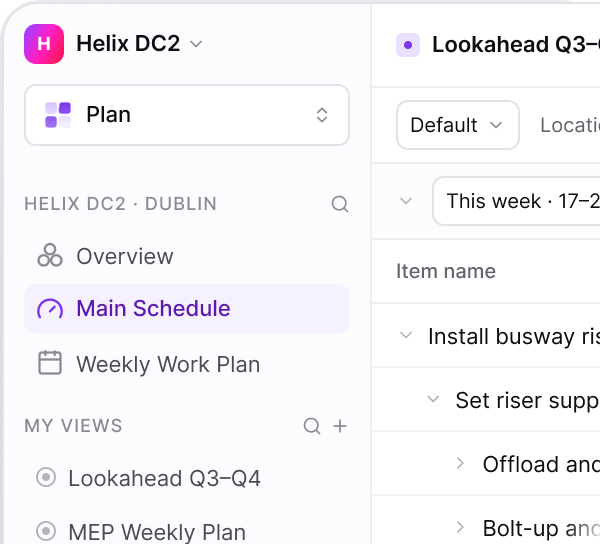
A rolling window that reflects what has actually happened, with lead times and constraint flags on the activities they affect, so slip is visible the minute it occurs.
ON THIS SCREEN
Six-week lookahead, generated from the master programme
Lead times shown before the activity starts
Constraints logged on the tasks not ready
Ready tasks can be committed to or added to workable backlog
RESOURCES & HOURS
ANALYTICS
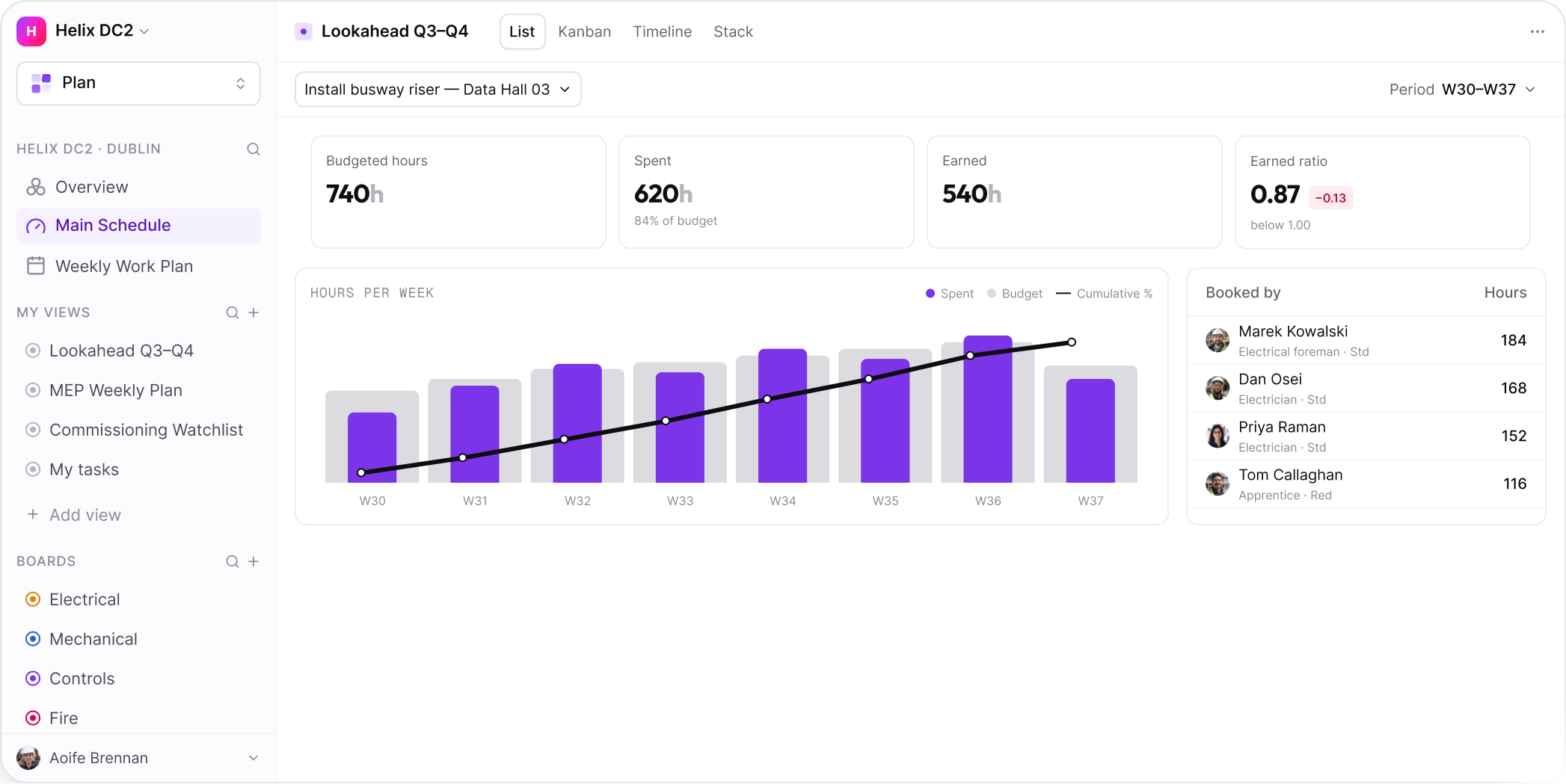
Crew hours, tracked to the task, in real time.
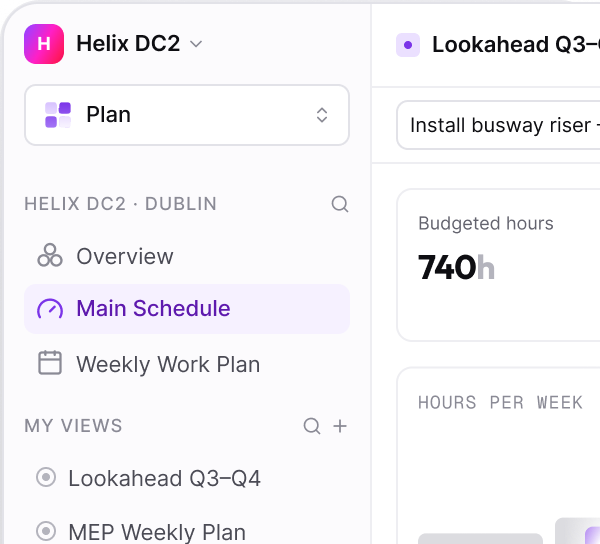
No more guessing at labour spend. Hours get logged per team member against the work they're actually doing, weekly spend is tracked automatically, and cumulative budget consumption shows through built-in earned value insights.
ON THIS SCREEN
Crew time logs tie directly to the activity they're working on
Every team member sees their own daily plan
Earned Value (EV) ratios built in, validating progress as it happens
Cumulative S-curve tracks remaining budget automatically
ROLES & PERMISSIONS
PLAN
Subcontractors see their work, not yours
Every activity carries a named owner and their trade package, and access follows the same structure - subcontractors, clients, and consultants each see only their own scope.
ON THIS SCREEN
Full work breakdown, scoped to what they're responsible for
Owner, company, and location shown against every task
Constraints, variance, and checklists attached to each task
Activities tracked using quantities installed and actual hours spent
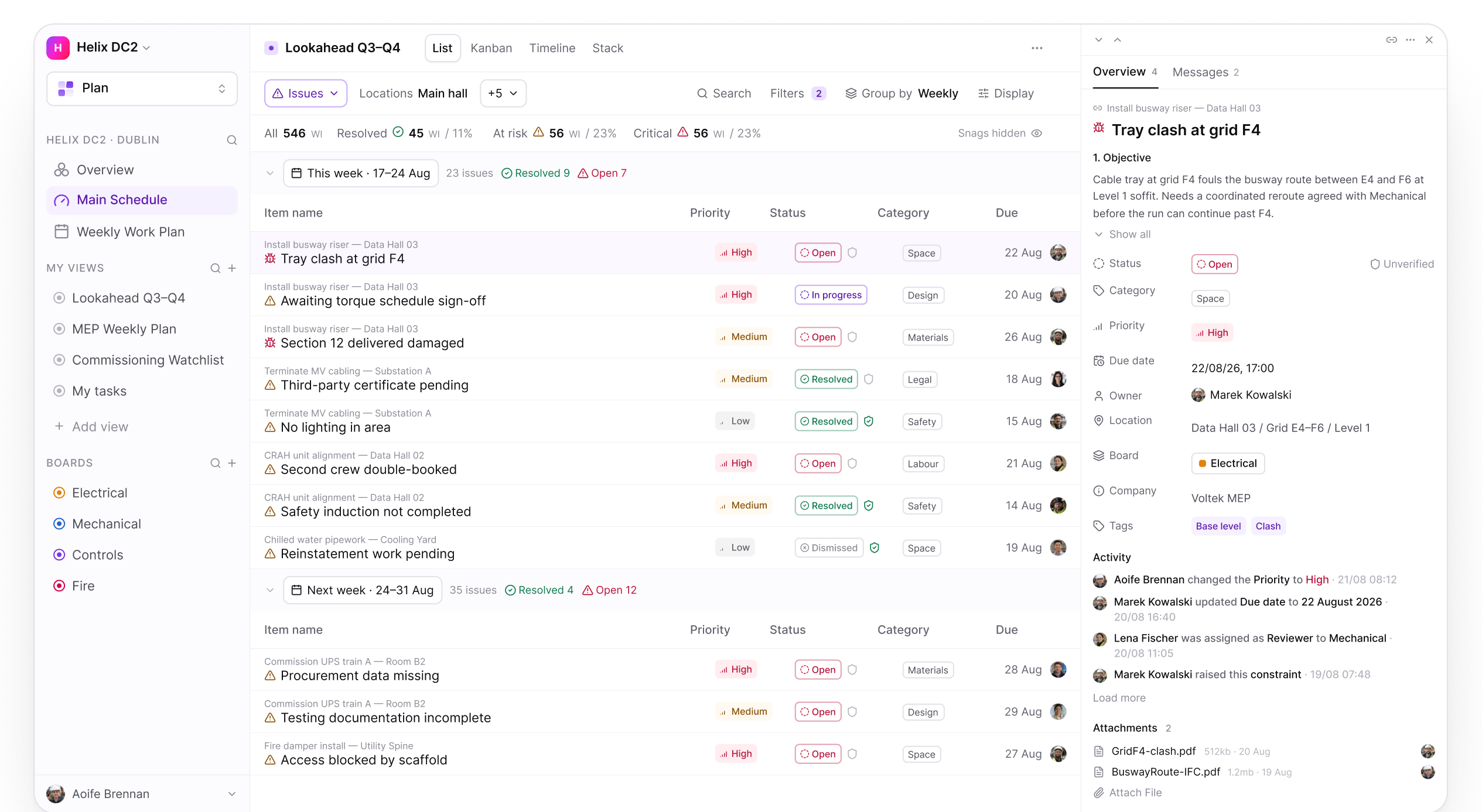
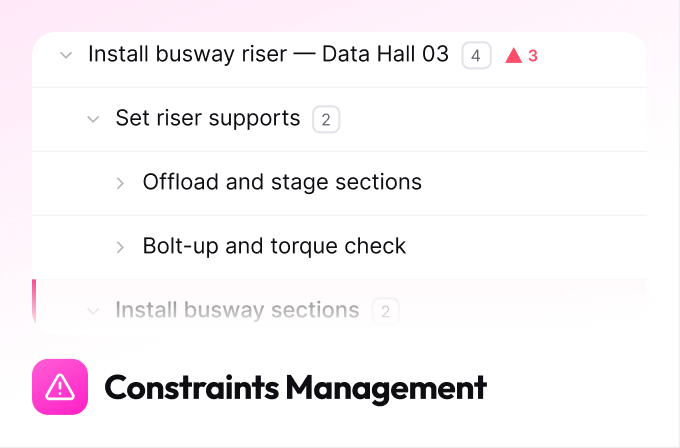
CONSTRAINTS MANAGEMENT
PLAN
Clear blockers before they become delay events
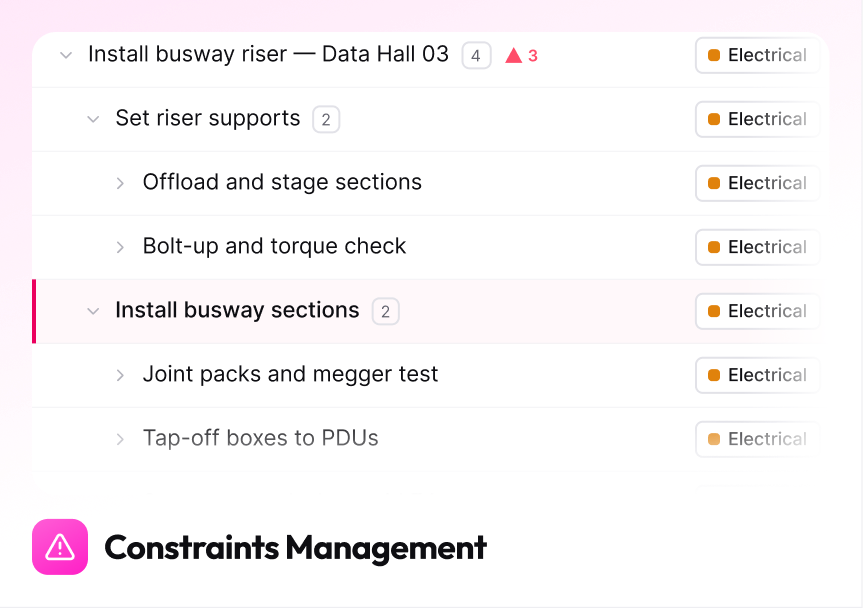
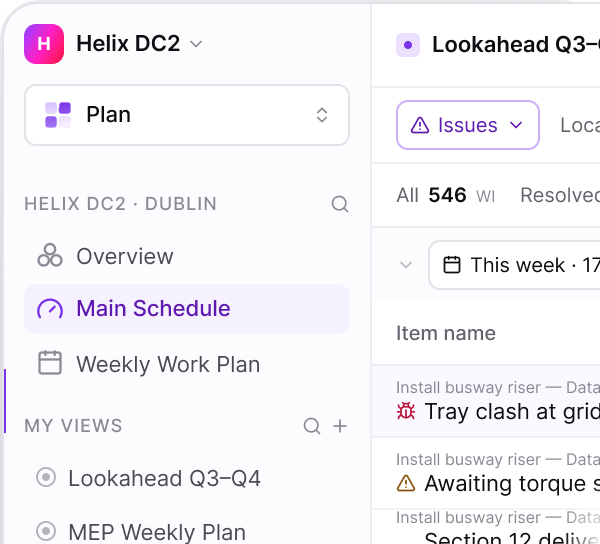
Issues mode is the same list, switched to show what is in the way rather than what is planned. Every constraint and snag is logged against the activity it threatens — with its own priority, an owner, a needed-by date, and a verification step so the crew that raised it confirms the fix.
ON THIS SCREEN
A view mode, not a module — the work area never changes
Priority is the issue's own, separate from the task's status
Verification is a second axis: Resolved is not the same as confirmed
Category on every issue, so the pattern across a job is visible
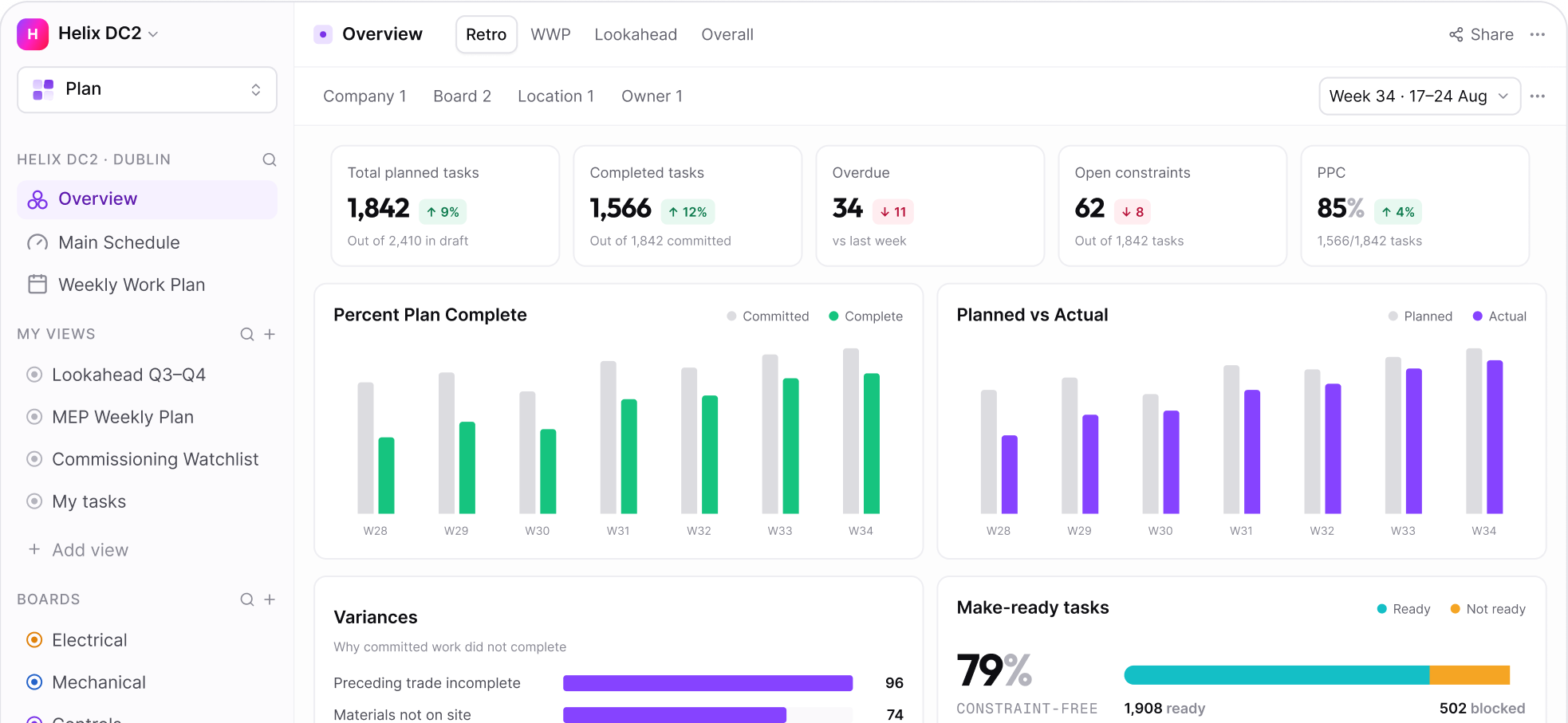
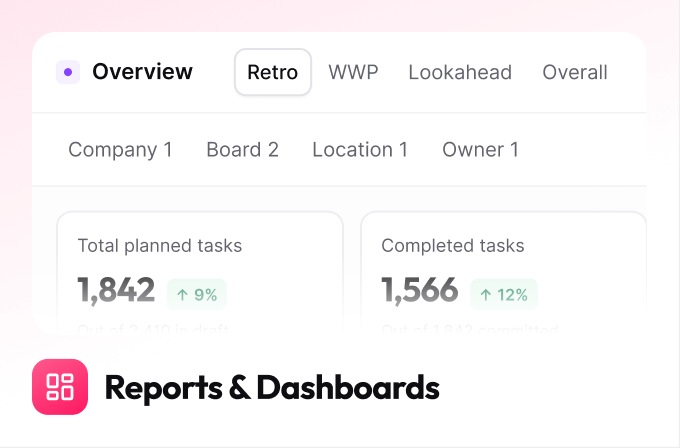
REPORTS & DASHBOARDS
ANALYTICS
One view of every project
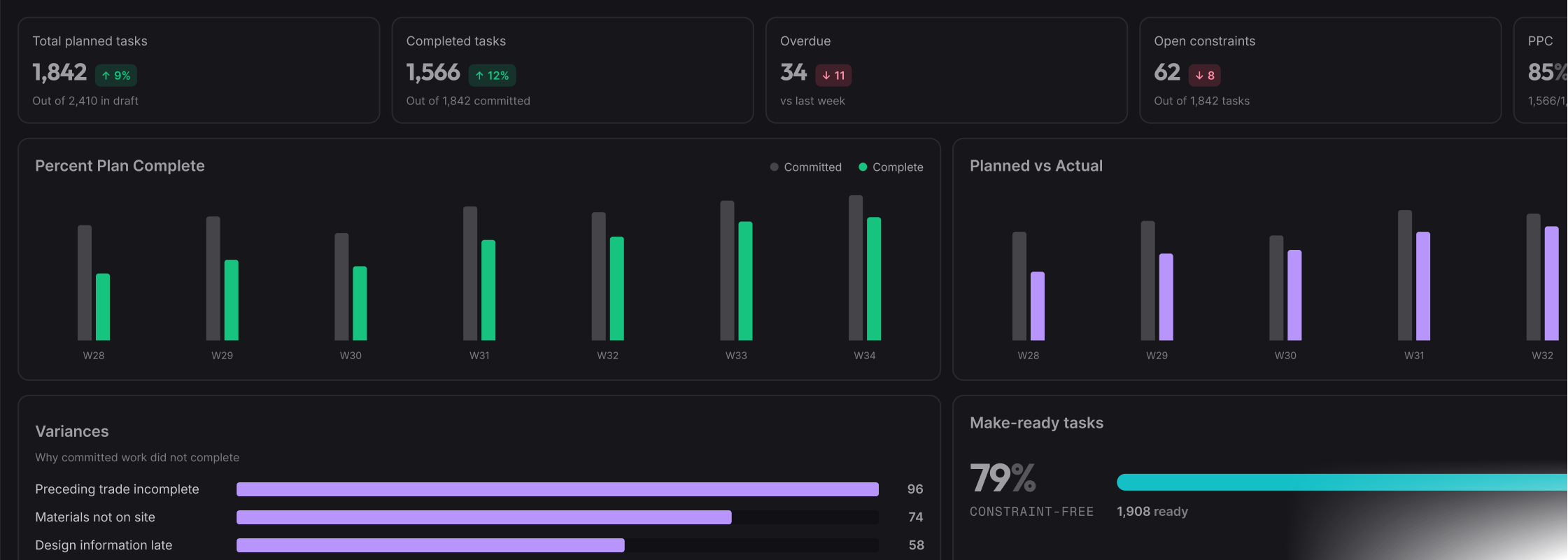
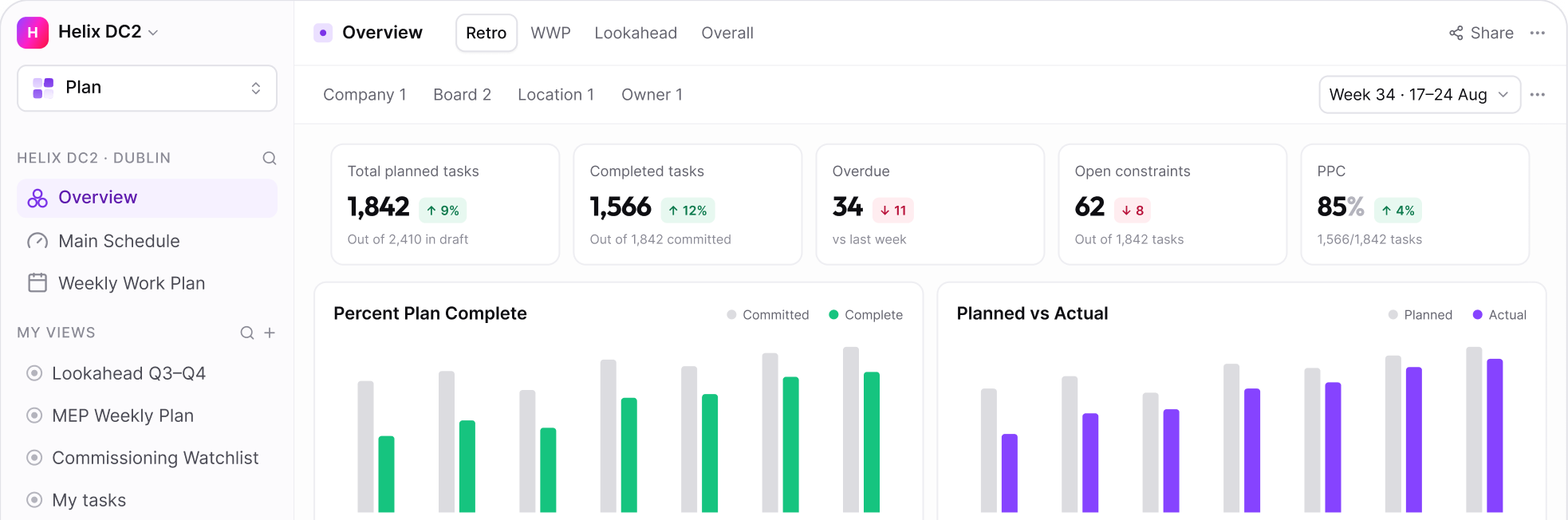
Standardised dashboards mean leadership compares projects on the same terms, with numbers that come from the work rather than from a monthly report cycle.
ON THIS SCREEN
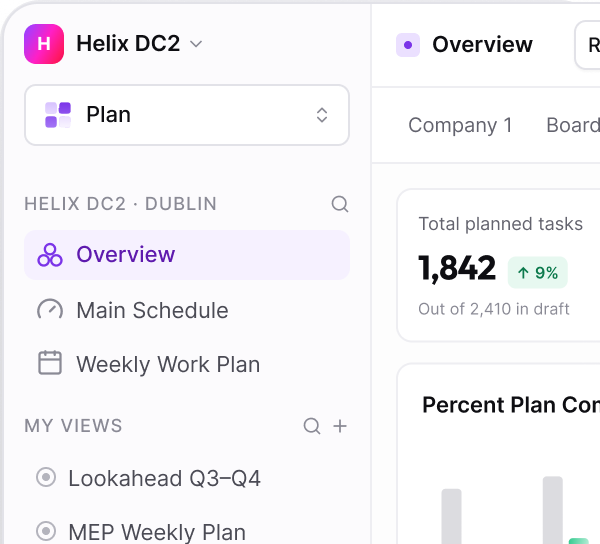
Percent Plan Complete tracked weekly per crew and trade
Planned against actual, on the same axis
Variance reasons ranked, so the pattern is obvious
Make-ready split between constraint-free and blocked
MOBILE & OFFLINE
FIELD
Works where the signal doesn't
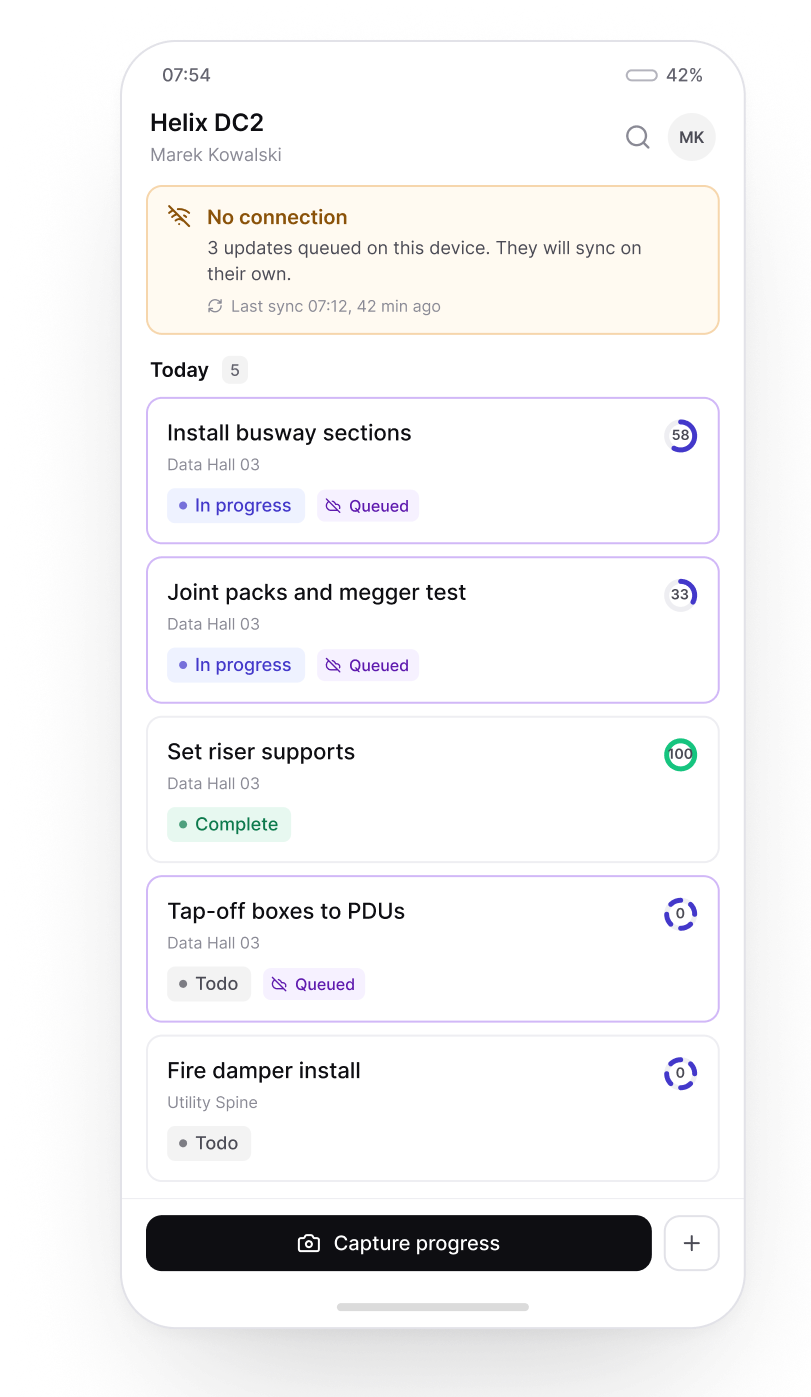
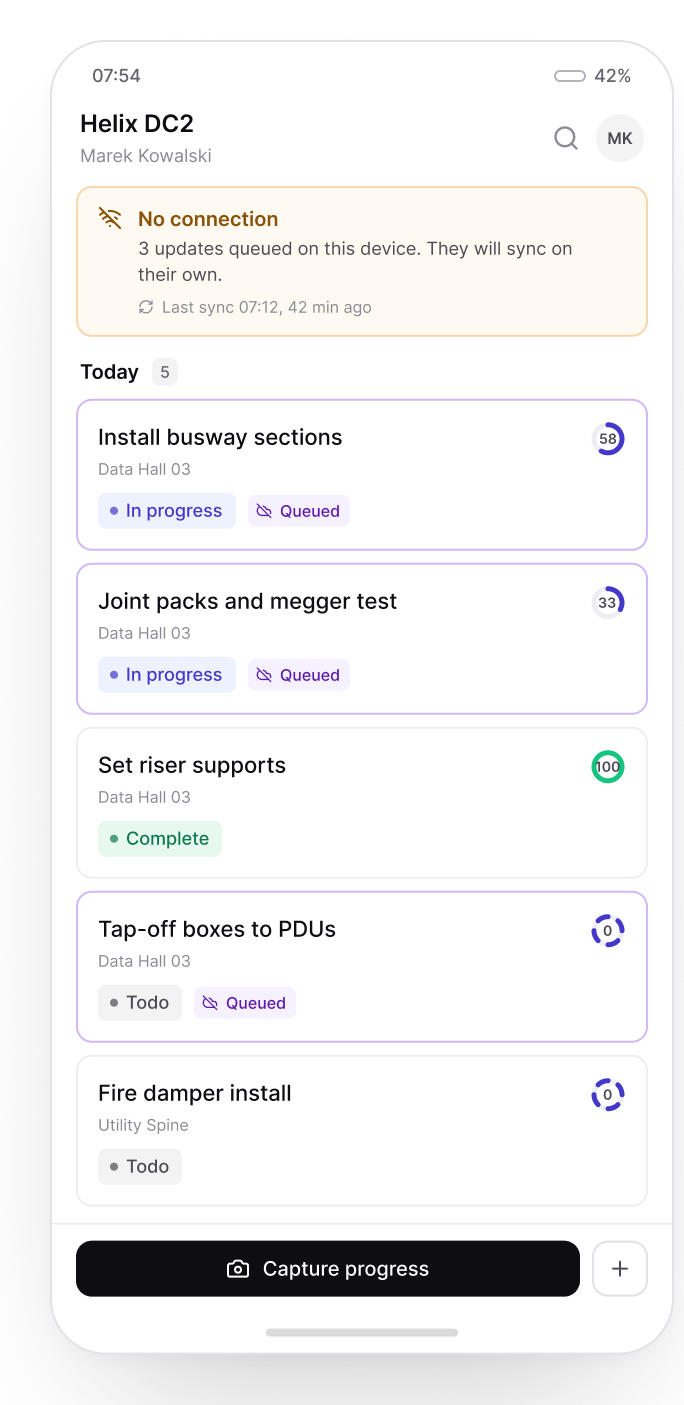
Basements and plant rooms have no signal. Updates queue on the device, each one marked unsent, and sync automatically the moment the phone reconnects.
ON THIS SCREEN
Offline mode lets you update tasks even without a connection
Always capture reality, wherever the signal drops
View daily tasks and update them as you go
Auto-sync the moment connection resumes
PROGRESS CAPTURE
FIELD
Progress captured the moment it happens
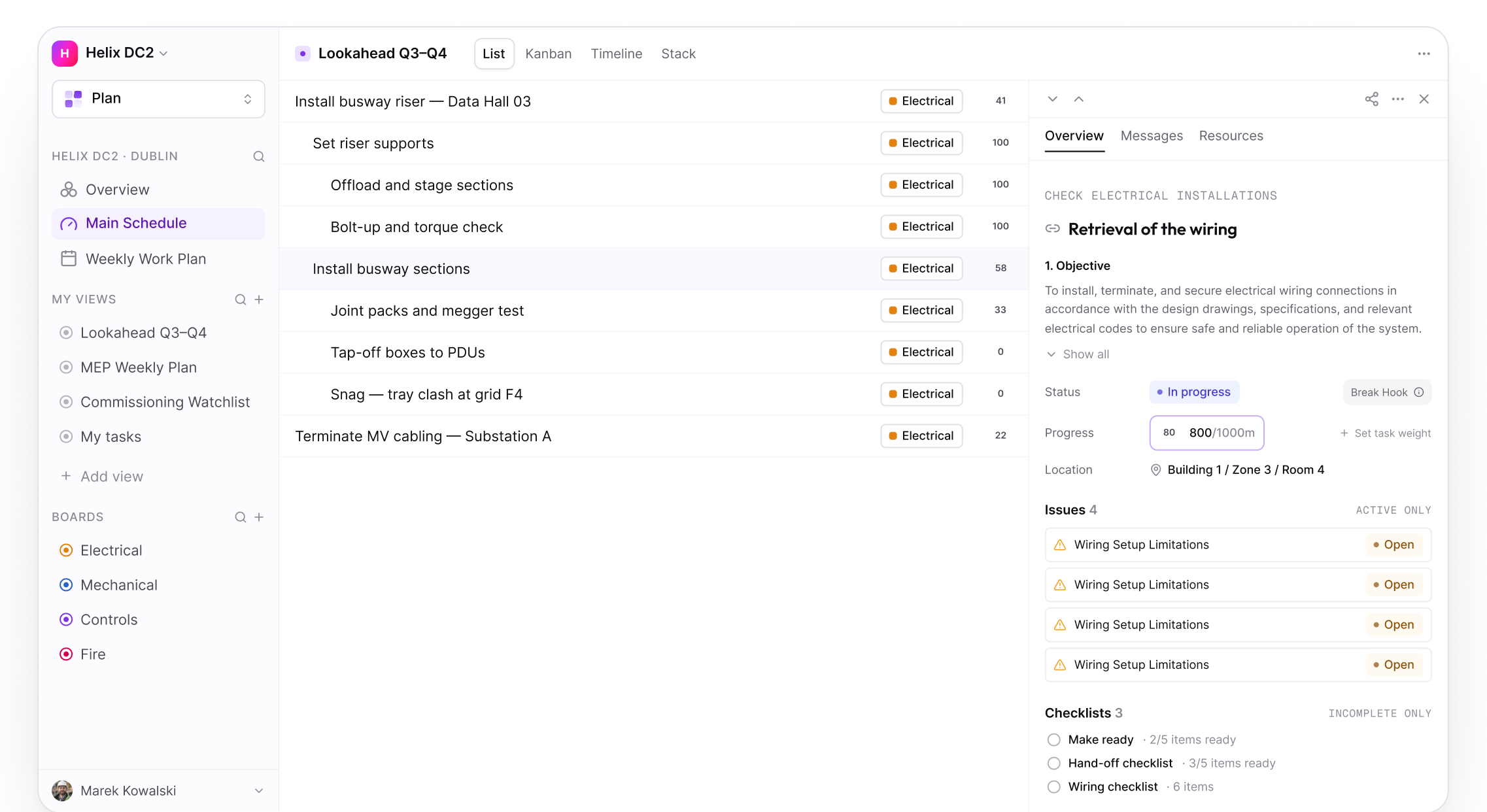
Progress shown instantly, in real quantities. A detailed panel on the task shows what's installed, paired with its unit and total, and its contribution to percent complete.
ON THIS SCREEN
Progress edited directly on the activity itself
Captured in units of measure, or as a percentage, to validate progress
Progress rolls up to the parent based on weighted child tasks
See site progress instantly, whether it's one task or the whole site
PHOTOS & DOCUMENTS
RECORD
Evidence attached to the work
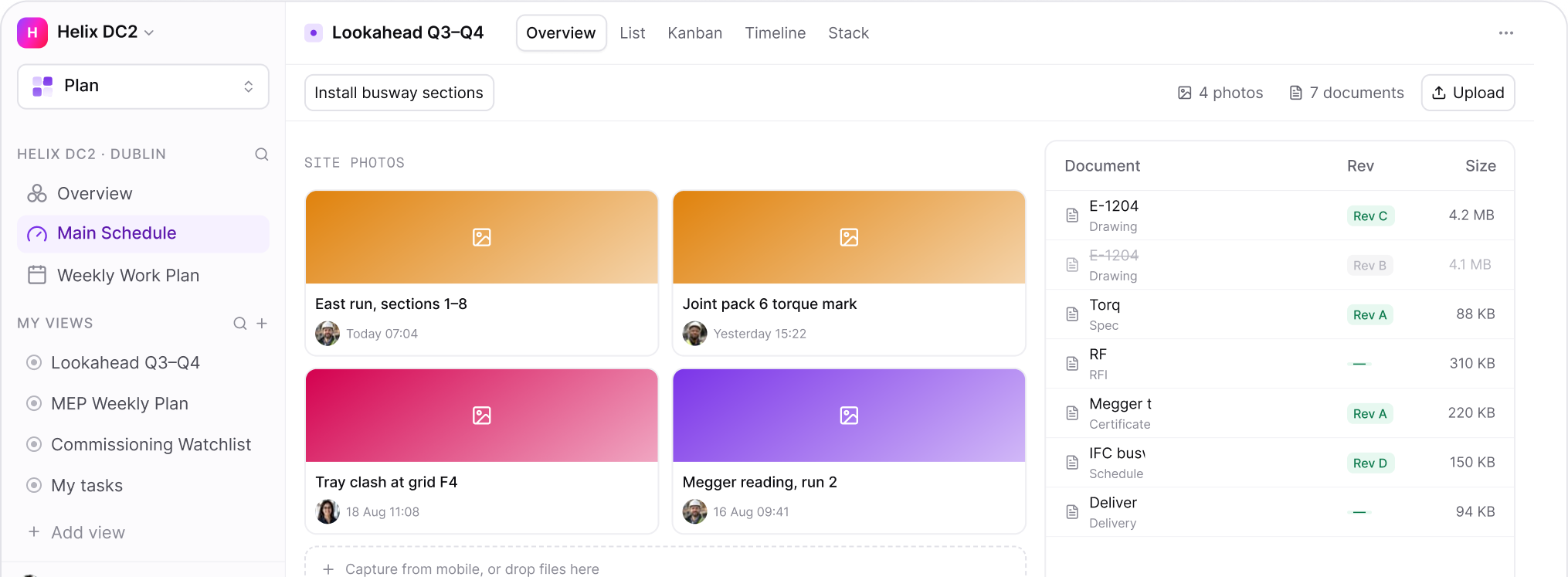
Photographs, RFIs, drawings, specifications assigned directly to a task, linking all project data to time.
ON THIS SCREEN
Photo captured on site and assigned directly to tasks
Constraints evidence attached directly to the relevant task
A complete, contemporaneous record, linked to time
Claims and EOTs built on a robust, time-linked evidence base
CHAT
FIELD
Every conversation stays with the activity.
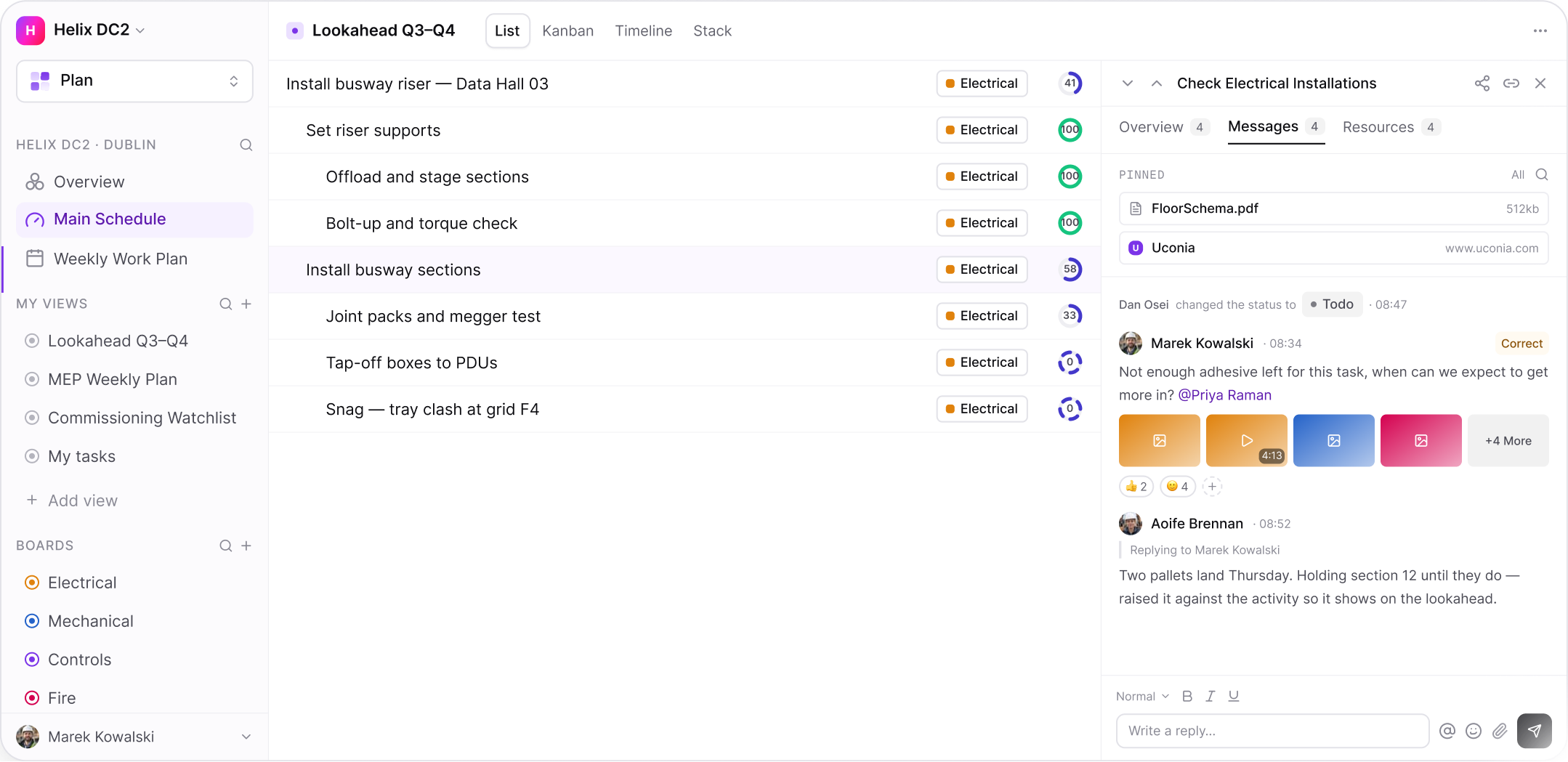
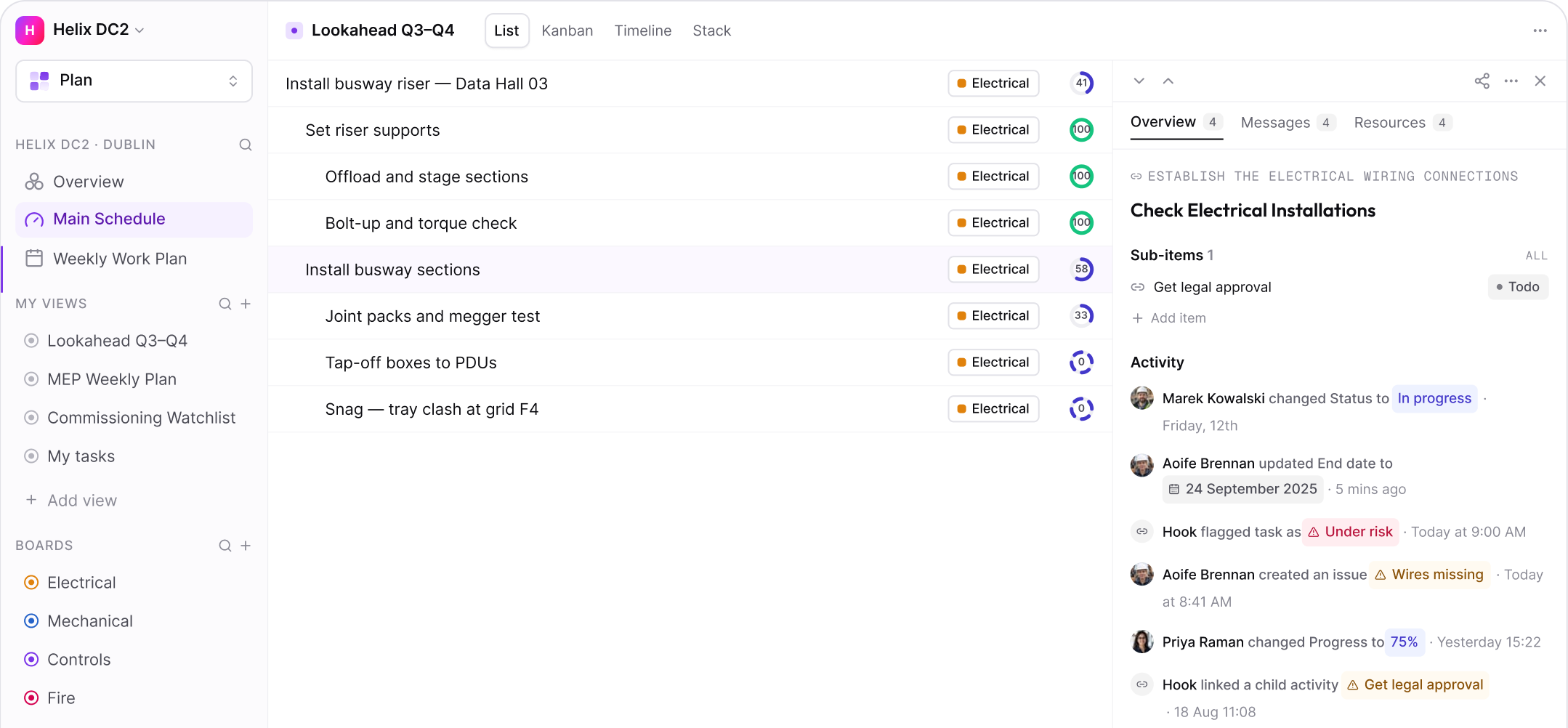
Everything site teams actually communicate with - photos, pinned files, status changes, short messages - lives on the item itself. One formalised record, not a channel you have to go hunting through
ON THIS SCREEN
A formalised record of task communication
Task-specific, limited to the workers assigned to the task.
Find any message instantly, no digging required.
Raise a constraint directly through the chat
AUDIT TRAIL
RECORD
Every change, in one feed on the item
Every change is logged and time stamped automatically the status, dates, issues and progress. A complete audit trail, built as the work happens
ON THIS SCREEN
A full time stamped audit trail of every activity, in one view
Status, progress, dates, and variances - all logged.
Attachments recorded right alongside it
Understand the full history of a task, at a glance
WEEKLY CLOSEOUT
RECORD
Nothing closes until the week is accounted for
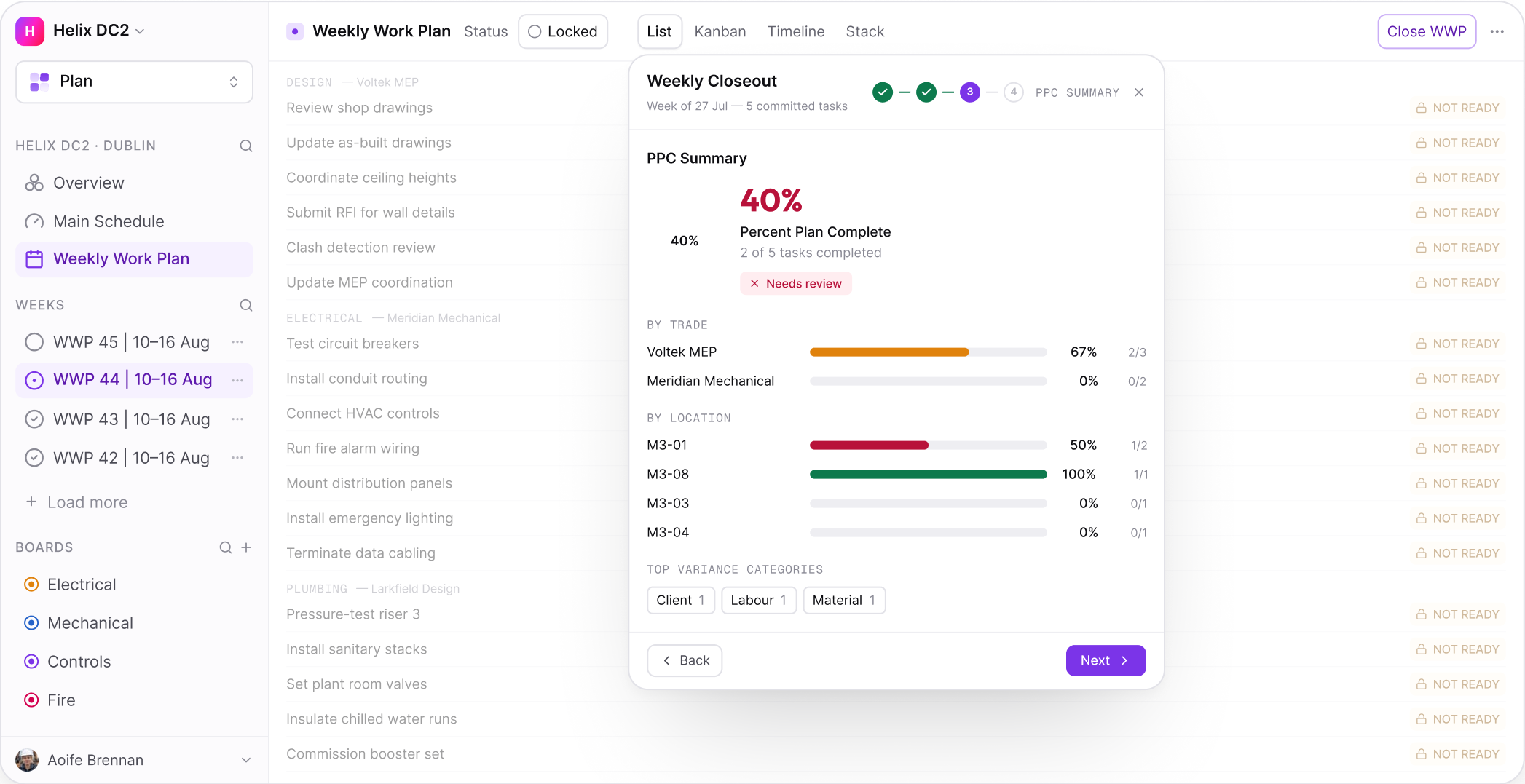
Each week closes with a straight comparison: what got done against what was promised. Slippage gets re-planned, reason logged and categorised, so patterns surface over time and forecasts sharpen. The team learns as much from what didn't happen as from what did.
ON THIS SCREEN
A single page highlighting what was and wasn't achieved, and why
PPC holds the people doing the work accountable, and drives better planning as a result
Recurring problems get categorised and fed into future forecasts
Approvers see the plan and their own workload in a single, clear view
PPC & RELIABILITY
ANALYTICS
Measure whether the plan can be trusted
Percent Plan Complete measures, week by week, how much committed work actually got done - and logs the reason behind every miss. It's the Last Planner metric that gives the earliest warning on whether the programme is achievable.
ON THIS SCREEN
PPC measured weekly by trade, driving accountability
Slippage reasons logged and categorised, so patterns surface over time
Make Ready forces every commitment to be thought through before it's made.
Forecasts accounts for known constraints and recurring issues, rather than assuming a clean run
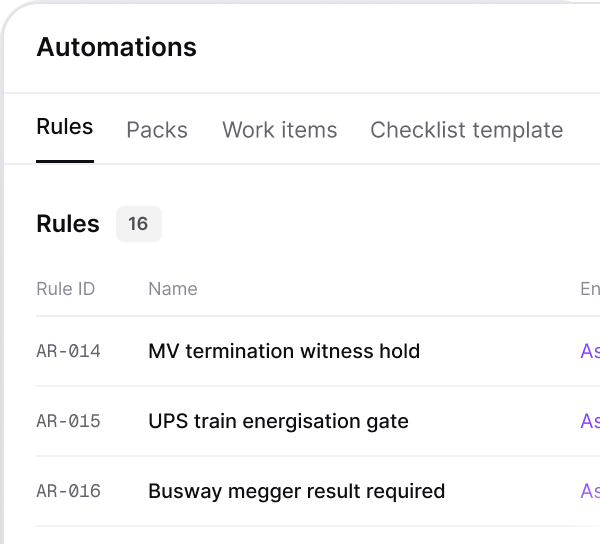
AUTOMATIONS
CONNECT
Let the system do the chasing
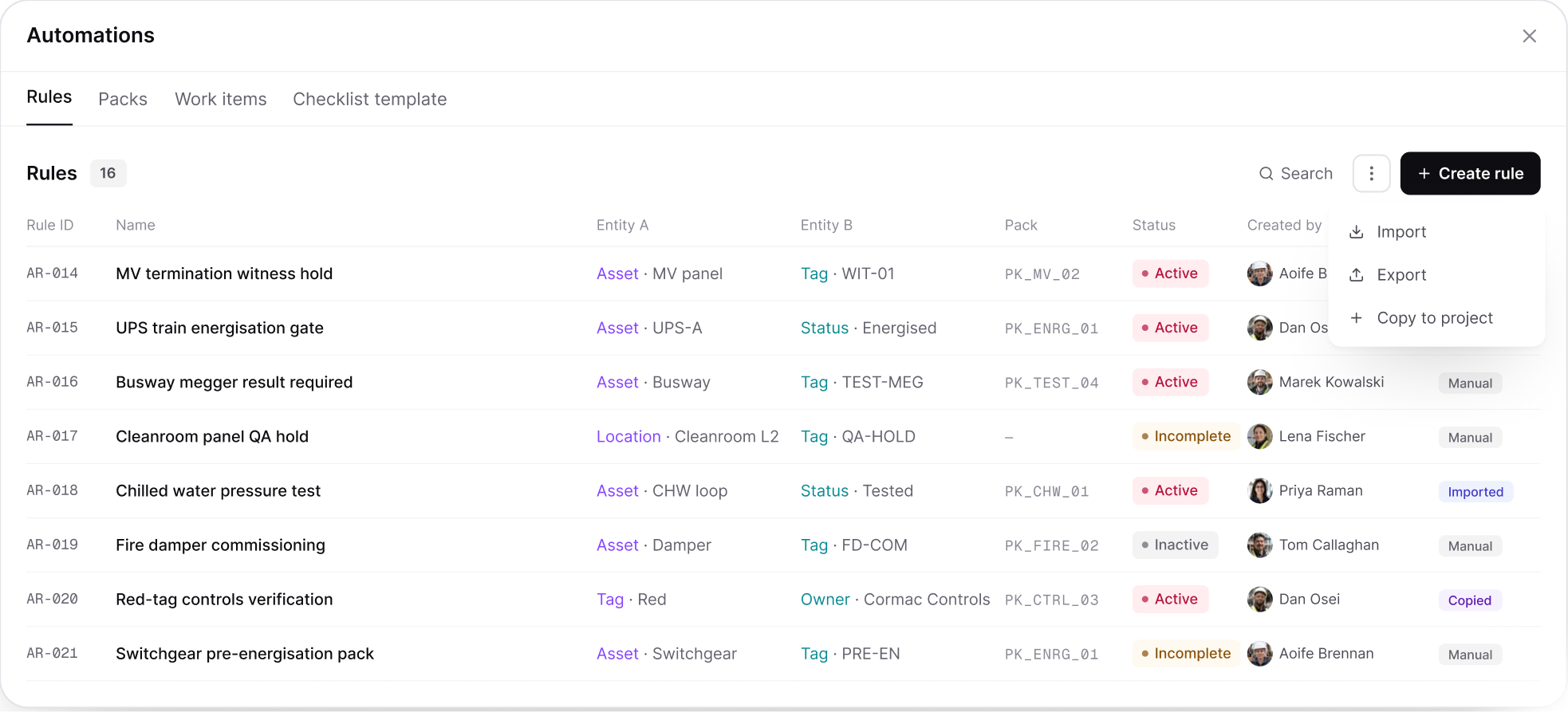
Instantly link an external spreadsheet, or any extra detail, and tie it straight to the programme - everything brought into one place.
ON THIS SCREEN
Link assets straight to the commissioning task they belong
Auto-assign labour, safety, materials, quality, and design prerequisites to tasks
Auto-generate Inspection Test Report steps directly from the linked activity
Apply a common, detailed task breakdown at scale across the programme  
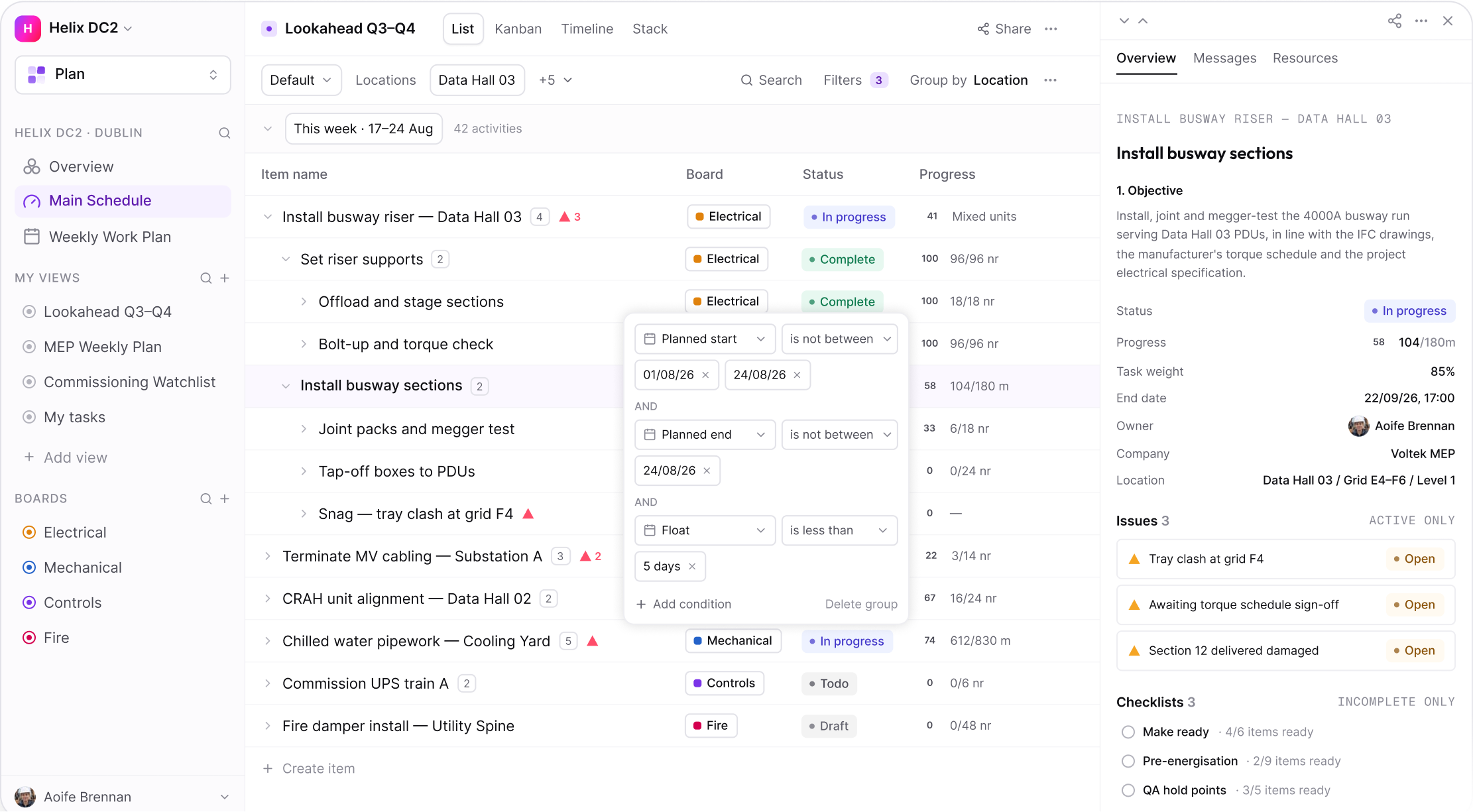
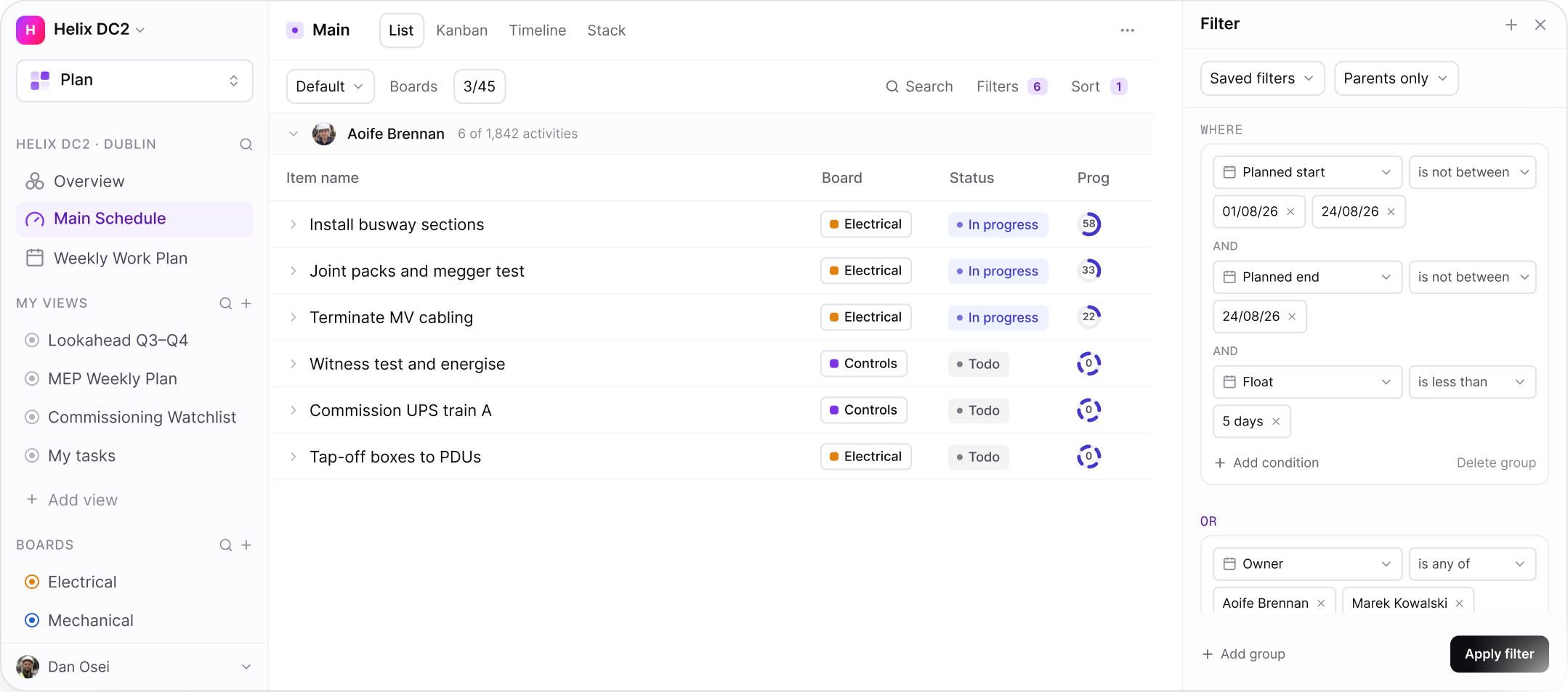
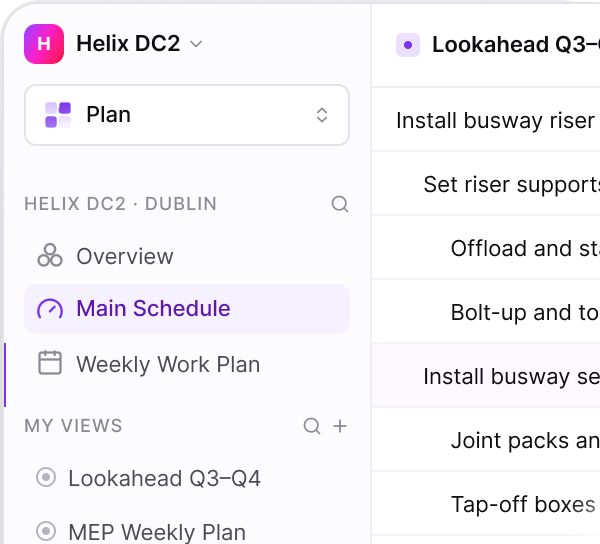
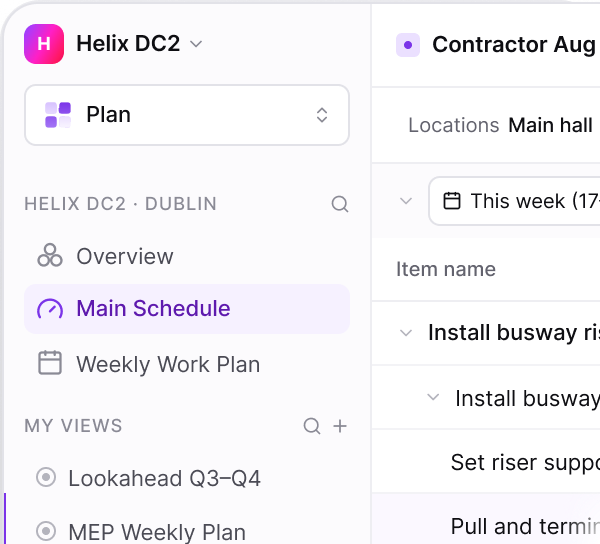
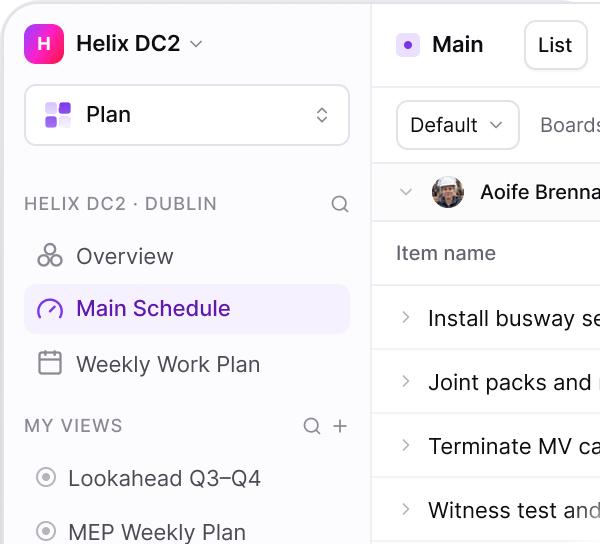
FILTERS & SAVED VIEWS
PLAN
Find the fifty rows that matter out of twenty thousand
Programmes are too large to read at a glance. Filter, group, and sort by date, discipline, owner, or company to cut through the complexity and save your preferred view, so nothing gets rebuilt every time you come back.
ON THIS SCREEN
Filter and sort by any data the programme holds
Display a look-ahead over a defined period
Instantly surface tasks assigned, overdue, or constrained
Check the Weekly Work Plan without leaving the Master Schedule
LOCATIONS & WBS
CONNECT
Structure work the way the site is built
Zone, level, room, and grid line - structured hierarchically from the project down to the individual activity, so a task is instantly recognisable to site teams.
ON THIS SCREEN
WBS aligned to the master programme
Level codes make depth visible instantly
Bring selected WBS branches straight into the plan
Every row shows trade, location, company, and owner
FULL SCREEN
MASTER PROGRAMME SYNC
CONNECT
The contract programme stays the source of truth
Primavera P6, Asta Powerproject and Microsoft Project keep owning the contract. Uconia reads activities, calendars and the WBS down, and writes actuals back up on your cycle.
ON THIS SCREEN
Milestones pushed and items delayed, per import
Execution readiness, how much lookahead work is hooked
Critical items bucketed by float
Added, removed, updated and re- dated, by board
WEEKLY WORK PLAN
PLAN
Commitments made by the people doing the work
Each crew commits to a defined set of tasks for the week, against the activities they belong to. What was promised and what was delivered are both on the record.
ON THIS SCREEN
Open, Locked, In Progress, Complete — the plan's own lifecycle
Locking excludes later additions from the PPC
Items pulled in mid-week are marked as such
Work paced across several weeks shows no false weekly figure
QUANTITIES & UNITS
PLAN
Progress in the unit the trade already uses
Cabling length, box counts, slab area and progress logs in whatever unit the work actually uses. Units lock once set, so historical data stays intact and progress stays comparable over time.
ON THIS SCREEN
Work across multiple units, natively
Parent totals calculate correctly, so quantities never get falsely aggregated
Weekly weighting applies on top, without touching the raw entries underneath
Weighting is applied to a week, not baked into the data
GANTT & TIMELINE
PLAN
The programme, live
A rolling window that reflects what has actually happened, with lead times and constraint flags on the activities they affect, so slip is visible the minute it occurs.
ON THIS SCREEN
Six-week lookahead, generated from the master programme
Lead times shown before the activity starts
Constraints logged on the tasks not ready
Ready tasks can be committed to or added to workable backlog
RESOURCES & HOURS
ANALYTICS
Crew hours, tracked to the task, in real time
No more guessing at labour spend. Hours get logged per team member against the work they're actually doing, weekly spend is tracked automatically, and cumulative budget consumption shows through built-in earned value insights.
ON THIS SCREEN
Crew time logs tie directly to the activity they're working on
Every team member sees their own daily plan
Earned Value (EV) ratios built in, validating progress as it happens
Cumulative S-curve tracks remaining budget automatically
ROLES & PERMISSIONS
PLAN
Subcontractors see their work, not yours
Every activity carries a named owner and their trade package, and access follows the same structure: subcontractors, clients, and consultants each see only their own scope.
ON THIS SCREEN
Full work breakdown, scoped to what they're responsible for
Owner, company, and location shown against every task
Constraints, variance, and checklists attached to each task
Activities tracked by quantities installed and actual hours spent
CONSTRAINTS MANAGEMENT
PLAN
Clear blockers before they become delay events
Issues mode is the same list, switched to show what is in the way rather than what is planned. Every constraint and snag is logged against the activity it threatens — with its own priority, an owner, a needed-by date, and a verification step so the crew that raised it confirms the fix.
ON THIS SCREEN
A view mode, not a module — the work area never changes
Priority is the issue's own, separate from the task's status
Verification is a second axis: Resolved is not the same as confirmed
Category on every issue, so the pattern across a job is visible
REPORTS & DASHBOARDS
ANALYTICS
One view of every project
Standardised dashboards mean leadership compares projects on the same terms, with numbers that come from the work rather than from a monthly report cycle.
ON THIS SCREEN
Percent Plan Complete tracked weekly per crew and trade
Planned against actual, on the same axis
Variance reasons ranked, so the pattern is obvious
Make-ready split between constraint-free and blocked
MOBILE & OFFLINE
FIELD
Works where the signal doesn't
Basements and plant rooms have no signal. Updates queue on the device, each one marked unsent, and sync automatically the moment the phone reconnects.
ON THIS SCREEN
Offline mode lets you update tasks even without a connection
Always capture reality, wherever the signal drops
View daily tasks and update them as you go
Auto-syncs the moment connection resumes
PROGRESS CAPTURE
FIELD
Progress captured immediately
Progress shown instantly, in real quantities. A detailed panel on the task shows what's installed, paired with its unit and total, and its contribution to percent complete.
ON THIS SCREEN
Progress edited directly on the activity itself
Captured in units of measure, or as a percentage, to validate progress
Progress rolls up to the parent based on weighted child tasks
See site progress instantly, whether it's one task or the whole site.
PHOTOS & DOCUMENTS
RECORD
Evidence attached to the work
Photographs, RFIs, drawings, specifications assigned directly to a task, linking all project data to time.
ON THIS SCREEN
Photo capture from site and assigned directly to tasks
Constraint evidence attahced directly to the relevant task
A complete, contemporaneous record, linked to time
Claims and EOTs built on robust, time-linked evidence base
CHAT
FIELD
Every conversation stays with the activity
Everything site teams actually communicate with - photos, pinned files, status changes, short messages - lives on the item itself. One formalised record, not a channel you have to go hunting through
ON THIS SCREEN
A formalised record of task communication
Task-specific, limited to the workers assigned to the task.
Find any message instantly, no digging required.
Raise a constraint directly though the chat
AUDIT TRAIL
RECORD
Every change, in one feed on the item
Every change is logged and time stamped automatically the status, dates, issues and progress. A complete audit trail, built as the work happens
ON THIS SCREEN
A full time stamped audit trail of every activity, in one view
Status, progress, dates and variances - all logged
Attachments recorded right alongside it
Understand the full history of a task, at a glance
WEEKLY CLOSEOUT
RECORD
Nothing closes until the week is accounted for
Each week closes with a straight comparison: what got done against what was promised. Slippage gets re-planned, reason logged and categorised, so patterns surface over time and forecasts sharpen. The team learns as much from what didn't happen as from what did.
ON THIS SCREEN
A single page highlighting what was and wasnt't achieved, and why
PPC holds the people doing the work accountable, and drives better planning as a result
Recurring problems get categorised and fed into future forecasts
Approvers see the plan and their own workload in a single, clear view
PPC & RELIABILITY
ANALYTICS
Measure whether the plan can be trusted
Percent Plan Complete measures, week by week, how much committed work actually got done - and logs the reason behind every miss. It's the Last Planner metric that gives the earliest warning on whether the programme is achievable.
ON THIS SCREEN
PPC measured weekly by trade, driving accountability
Slippage reasons logged and categorised, so patterns surface over time
Make Ready forces every commitment to be thought through before it's made
Forecasts accounts for known constraints and recurring issues, rather than assuming a clean run
AUTOMATIONS
CONNECT
Let the system do the chasing
Instantly link an external spreadsheet, or any extra detail, and tie it straight to the programme - everything brought into one place.
ON THIS SCREEN
Link assets straight to the commissioning tasks they belong
Auto-assign labour, safety, materials, quality, and design prerequisites to tasks
Auto- generate Inspection Test Report steps directly from the linked activity
Apply a common, detailed task breakdown at scale across the programme
FILTERS & SAVED VIEWS
PLAN
Find the fifty rows that matter out of twenty thousand
Programmes are too large to read at a glance. Filter, group, and sort by date, discipline, owner, or company to cut through the complexity and save your preferred view, so nothing gets rebuilt every time you come back.
ON THIS SCREEN
Filter and sort by any data the programme holds
Display a look-ahead over a defined period
Instantly surface tasks assigned, overdue, or constrained
Check the Weekly Work Plan without leaving the Master Schedule